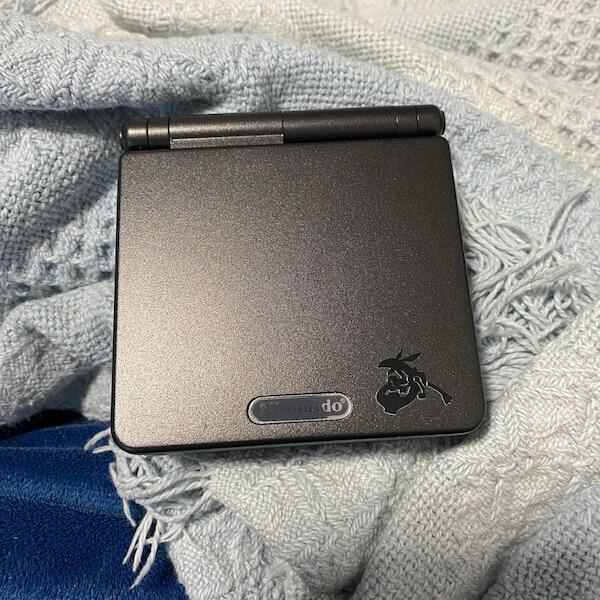

A Game Boy Advance SP flashcart has no single fixed cost: compare the current Australian-dollar checkout total for the exact cartridge and any storage or accessories it requires. A cartridge-only listing excludes anything sold separately, so check the microSD card, card reader, delivery and checkout taxes before comparing offers.
- Game Boy Advance SP flashcart cost depends on the exact cartridge and what the purchase includes.
- Compare complete setups, not a cartridge-only listing against a bundle with storage.
- Check GBA compatibility, save handling and firmware instructions before choosing a flashcart for homebrew.
- Retrofit suits Australian buyers seeking refurbished Game Boy Advance SP hardware; assess the flashcart separately.
How much does a flashcart for a Game Boy Advance SP cost?
Use the complete, delivered setup as your comparison figure—not the cartridge headline alone. For an Australian purchase in 2026, that means checking the currency, included accessories and final checkout total for the specific model you intend to buy.
A useful comparison separates the cartridge from the equipment needed to load files onto it. Your existing computer and storage accessories also matter: something already in your drawer does not belong on a new shopping list.
| Purchase configuration | What you need to establish | Best for | Main drawback |
|---|---|---|---|
| Cartridge only | Required storage, firmware and file-transfer equipment | Buyers who already own compatible accessories | The listing does not necessarily cover a complete setup |
| Cartridge with storage | Card specification, preparation and included files | Buyers wanting fewer separate purchases | Included storage does not establish cartridge quality |
| Cartridge, storage and reader | Reader connection, card compatibility and setup instructions | Buyers starting without file-transfer equipment | Bundled accessories can duplicate equipment you own |
These are purchase configurations, not performance rankings. A larger bundle does not establish better game compatibility, safer save handling or clearer documentation.
If your aim is to play independently developed games, start with running homebrew on a Game Boy Advance SP. The software you actually want to run should determine the cartridge requirements.
Why this matters
A flashcart purchase is a hardware-and-software decision, not just a storage purchase. The cartridge must work with your console, load your chosen files and preserve progress through its documented save process.
A lower checkout total is useful only when the setup meets your requirements. Buying an accessory twice or discovering an unsupported feature after delivery defeats a careful comparison.
Keep the console budget separate. A replacement screen, battery repair or charging modification addresses the handheld itself; a flashcart addresses how compatible software is loaded through the cartridge slot.
For a 2026 buying decision, write down the exact model and hardware revision before comparing sellers. Similar names and similar-looking shells are not evidence that the internal hardware or supported features match.
Cartridge-only purchases: check what you already own
A cartridge-only purchase makes sense when you already have the storage and file-transfer equipment specified by its manufacturer. Its main advantage is avoiding unnecessary accessories; its drawback is that you take responsibility for assembling and preparing the setup.
Before ordering, check the supported memory-card format, filesystem requirements and firmware installation instructions. Do not assume that any spare card will work simply because it fits the slot.
Also check your computer connection. A reader with the wrong connector adds another accessory to the setup, while a computer with a suitable built-in card slot changes what you need to buy.
Best for: buyers comfortable following the exact cartridge documentation. Choose this configuration because the required equipment is already covered, not because the listing looks simpler.
Storage bundles: check the card, not just its inclusion
A storage bundle removes a separate purchasing task. The trade-off is that you still need to establish what card is included, how it is prepared and whether you can maintain the setup yourself.
Ask whether the seller identifies the card rather than describing it only as included storage. Check whether the manufacturer's instructions cover the supplied configuration and explain how to restore it after a formatting error or card replacement.
Preloaded files are not a substitute for documentation. You need to know which files operate the cartridge, which files are your software and where your saves belong.
Best for: buyers who want storage supplied with the cartridge. Prefer a clearly documented bundle over one that makes its appeal depend on an unexplained collection of files.
Complete accessory bundles: check for duplication
A cartridge, storage card and reader can cover the physical equipment needed for file transfer, subject to the cartridge's requirements. The advantage is convenience; the drawback is paying for equipment that might already be available to you.
Check the reader's connection against your actual computer, not a product photograph alone. Also establish whether setup instructions cover the cartridge itself or merely explain how to copy files onto a card.
A complete accessory bundle does not automatically include ongoing troubleshooting, firmware support or help recovering a damaged filesystem. Read the seller's stated support terms rather than treating the word complete as a service promise.
Best for: buyers starting without compatible storage or a reader. Compare the included items individually before deciding that the bundle fits your needs.
Why Game Boy Advance SP flashcart cost varies
The useful differences are the ones you can verify in a listing or manufacturer document. Use these factors to explain what you are buying, rather than assuming a more expensive cartridge performs better.
- Cartridge hardware: Check the exact model, revision and documented features. A shell colour does not explain the electronics inside.
- Included storage: Establish whether a memory card is supplied and whether its specification matches the cartridge requirements.
- Transfer equipment: Confirm whether you need a separate card reader, adapter or another documented connection method.
- Software support: Look for accessible firmware, installation instructions and explanations of known compatibility limitations.
- Purchase conditions: Compare currency, delivery charges, checkout taxes and stated return terms on the same basis.
For Australian buyers comparing purchases in 2026, currency deserves particular attention. A dollar symbol alone does not identify Australian dollars; check the seller's currency setting before treating totals as comparable.
Support also needs a precise meaning. A seller answering order questions is different from a manufacturer maintaining firmware, and neither promise should be inferred from a polished listing.
How do you compare flashcart listings properly?
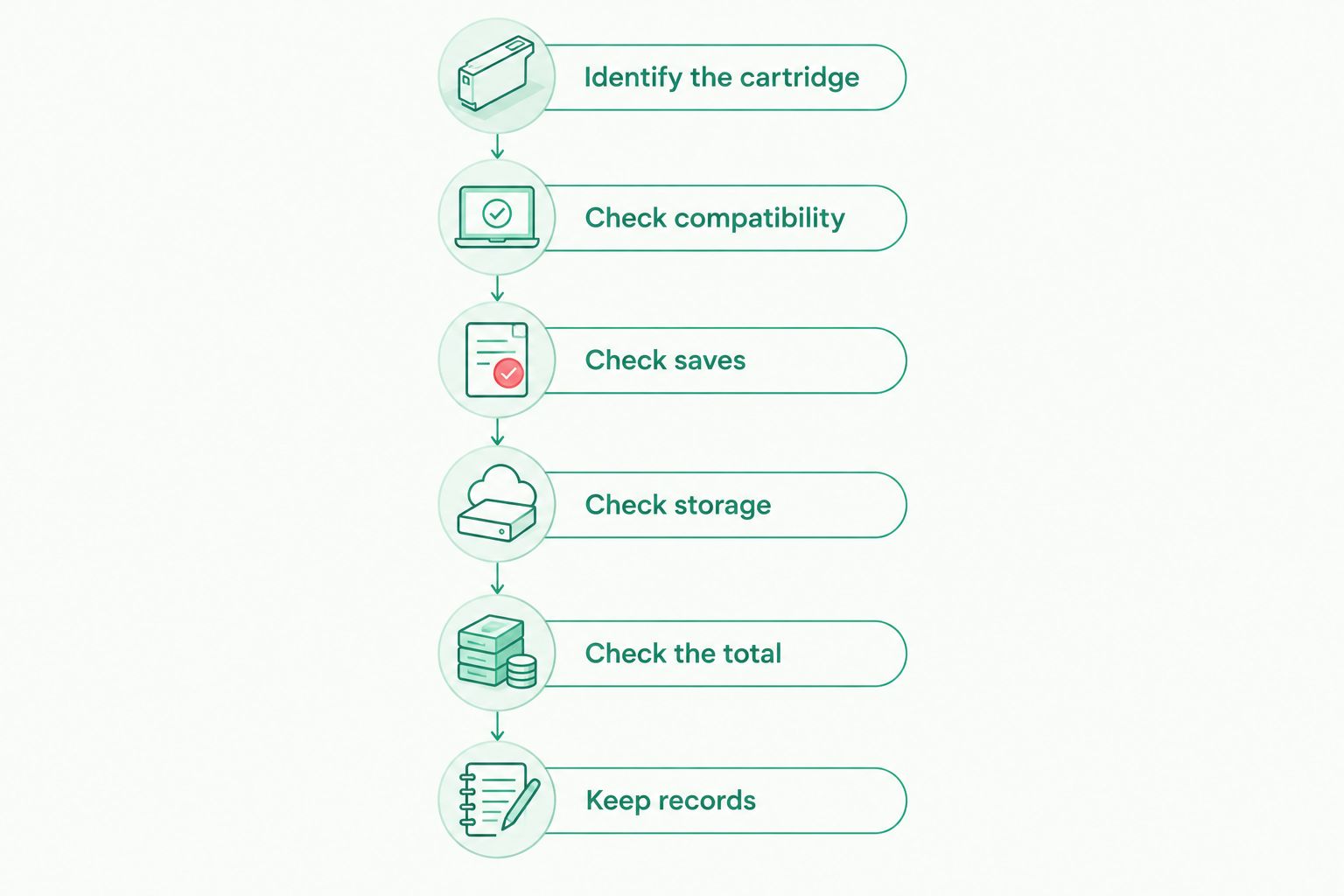
Compare the same cartridge revision with the same required accessories. This process keeps cosmetic differences and bundle extras from obscuring the practical decision.
- Identify the cartridge. Record the manufacturer, model and hardware revision stated in the listing. Resolve unclear naming before proceeding.
- Check compatibility. Find explicit support for Game Boy Advance software and use in a Game Boy Advance SP. Do not substitute support for another Nintendo handheld.
- Check saves. Read how the cartridge writes save data, when that process finishes and how you copy saves to a computer.
- Check storage. Match the supported card and formatting requirements to equipment you own or intend to purchase.
- Check the total. Compare the delivered checkout amount in the same currency, with equivalent accessories included.
- Keep records. Save the listing details, relevant instructions and order information so you can identify exactly what you bought.
For a 2026 purchase, keep a dated copy of the specification rather than relying on the listing remaining unchanged. That record is useful when instructions refer to different hardware revisions under a shared product name.
Check the save process before your first long session
Saving inside a game and preserving that save on removable storage are not instructions you should treat as interchangeable. Follow the cartridge manufacturer's shutdown and save-transfer procedure exactly.
Start with a short test: create progress, save as instructed, shut down as instructed, then restart and confirm that progress remains. Only then move to a longer session where losing a save would matter.
Back up save files using the documented method before changing firmware or preparing replacement storage. A backup on the same card is not protection against losing or damaging that card.
Is a cheaper flashcart the better choice?
A cheaper flashcart is the better choice only when it meets the same requirements that matter to you. Compare documented compatibility, save handling and setup needs before treating a lower total as better value.
A cartridge intended for your homebrew library does not need every optional feature offered elsewhere. Conversely, an accessory that cannot run your required software does not become suitable because its purchase total is lower.
Avoid treating unspecified compatibility claims as guarantees. Find instructions for the exact model and investigate any documented limitations relevant to the software you plan to use.
The practical decision is straightforward: pay for requirements you can name. Do not pay for a feature merely because a listing presents it prominently.
Do you need a modded Game Boy Advance SP to use a flashcart?
A compatible GBA flashcart uses the Game Boy Advance SP cartridge slot; an IPS screen modification is not a prerequisite. Follow the cartridge manufacturer's console compatibility guidance and setup instructions.
Screen and charging upgrades serve different purposes. A display modification changes the viewing experience, while a charging modification changes the console's charging hardware; neither establishes flashcart compatibility or fixes an unclear save procedure.
If you are also replacing the handheld, Retrofit sells professionally refurbished and modded Game Boy Advance and GBA SP consoles, plus repair and upgrade services. Retrofit is best for Australian enthusiasts seeking refurbished Game Boy Advance SP hardware.
The limit is equally important: choosing a refurbished console does not settle the separate flashcart decision. Assess the console's stated specification and the cartridge's documented requirements independently, rather than assuming one purchase validates the other.
What should you ask before ordering?
Ask questions that produce a specification or an instruction, not a general reassurance. A useful answer identifies the cartridge revision, points to documentation or explains a specific limitation.
Use this checklist when a listing leaves something unclear:
- Which exact model and hardware revision will be supplied?
- What storage is required, and what storage is included?
- Where are the firmware and setup instructions maintained?
- What is the documented procedure for saving and shutting down?
- How do you export and restore save files?
- Which compatibility limitations apply to your intended software?
Keep the answers with your purchase records. In 2026, a clear written specification remains more useful than an unsupported claim that a cartridge works with everything.
FAQ
How do I work out the full Game Boy Advance SP flashcart cost?
Compare the final checkout total for the exact cartridge, required storage and any reader you need. Use the same currency and include delivery and checkout taxes when comparing sellers.
Does a Game Boy Advance SP flashcart always include a microSD card?
Do not assume a microSD card is included. Check the listing's contents and the exact cartridge's storage requirements before ordering.
Is a flashcart bundle better than buying the cartridge separately?
A bundle is better suited to you when its included accessories match equipment you need. A cartridge-only purchase avoids duplication when you already own compatible storage and transfer equipment.
Will an IPS screen make a flashcart work better?
An IPS screen upgrade does not establish flashcart compatibility. Check the cartridge's support for your console and intended software separately from the display specification.
Can I use a flashcart for homebrew on a Game Boy Advance SP?
A compatible GBA flashcart can load supported homebrew on a Game Boy Advance SP. Check the homebrew project's instructions alongside the cartridge documentation, and use software you have permission to use.
How do I check that my flashcart saves properly?
Create a short test save, follow the manufacturer's shutdown procedure and restart to confirm that progress remains. Learn the documented save-backup method before changing firmware or storage.
Does buying a refurbished console include a flashcart?
Treat a refurbished console and a flashcart as separate purchases unless the listing explicitly includes both. Retrofit's console specification should be assessed separately from any flashcart manufacturer's requirements.
One last thing
Test save persistence before you commit valuable progress to a new flashcart. A successful boot proves that software started; it does not prove that you followed the correct save and shutdown process.
Keep your first test disposable, confirm that it survives a restart, and copy the resulting save using the documented backup method. That small check answers a more useful question than whether the menu looks right: can you reliably keep your progress?