

The Game Boy Advance SP has no headphone jack. Nintendo dropped it from the AGS-001 and AGS-101 to fit the clamshell hinge and rechargeable battery, so the only way to get Bluetooth headphones working is a transmitter that plugs into the link port and taps the audio before it hits the speaker.
- The GBA SP has no headphone jack, so connect GBA SP to Bluetooth headphones only works through a link-port Bluetooth transmitter, not a standard 3.5mm dongle.
- Pairing takes under 5 minutes once the transmitter is charged and the headphones are in pairing mode.
- Original GBA (AGB-001) owners skip the link-port step entirely and use a normal 3.5mm Bluetooth transmitter in the headphone jack.
- Bluetooth audio adds noticeable input lag for rhythm or timing-sensitive GBA titles in 2026 firmware and hardware alike.
Why this matters
Every GBA SP built since 2003 routes audio straight to the internal speaker with no output port for wired or wireless headphones. Retrofit sells modded GBA SP consoles with IPS V5 screens and USB-C charging, but the audio path on an SP shell is unchanged Nintendo hardware — no amount of screen or battery modding adds a headphone jack. If you want private audio on the go in 2026, the link port is the only route in, and the adapter you buy has to be built for that port specifically.
Before you start
- A Bluetooth transmitter adapter built for the GBA SP link port — not a generic 3.5mm transmitter, which needs a headphone jack the SP doesn't have.
- Bluetooth headphones or earbuds charged and ready to pair, plus their manual for the pairing-mode button combination.
- The gotcha: most listings labelled "GBA Bluetooth adapter" on marketplaces are wired for the original GBA's 3.5mm jack, not the SP's link port. Check the adapter's connector shape against your link port before you buy — a jack-style plug will not fit the SP at all.
Confirm your Game Boy Advance SP model
- Open the SP's link port cover on the top edge of the console, next to the charging port.
- Check whether your console is an AGS-001 (front-lit, older backlight) or AGS-101 (backlit, brighter panel) — both use the identical 6-pin link port, so either model works with a link-port Bluetooth adapter.
- If your console has been modded with an IPS V5 screen, like Retrofit's Zelda Triforce Edition, the screen swap doesn't touch the link port wiring, so the adapter setup is identical to a stock unit.
Expected result: you've confirmed the link port is clear of debris and the adapter's connector matches its shape.
Set up your Bluetooth transmitter adapter
- Charge the transmitter fully before first use — most link-port adapters run on an internal battery, not the GBA SP's own power.
- Plug the adapter firmly into the link port until it clicks or seats flush. A loose connection is the single most common cause of no audio.
- Power on the GBA SP first, then press the adapter's power button. The transmitter's LED should flash, indicating it's ready to pair.
- Turn the GBA SP's in-game volume up roughly two-thirds — the adapter draws its signal from this output, so a muted console sends no audio to pair with.
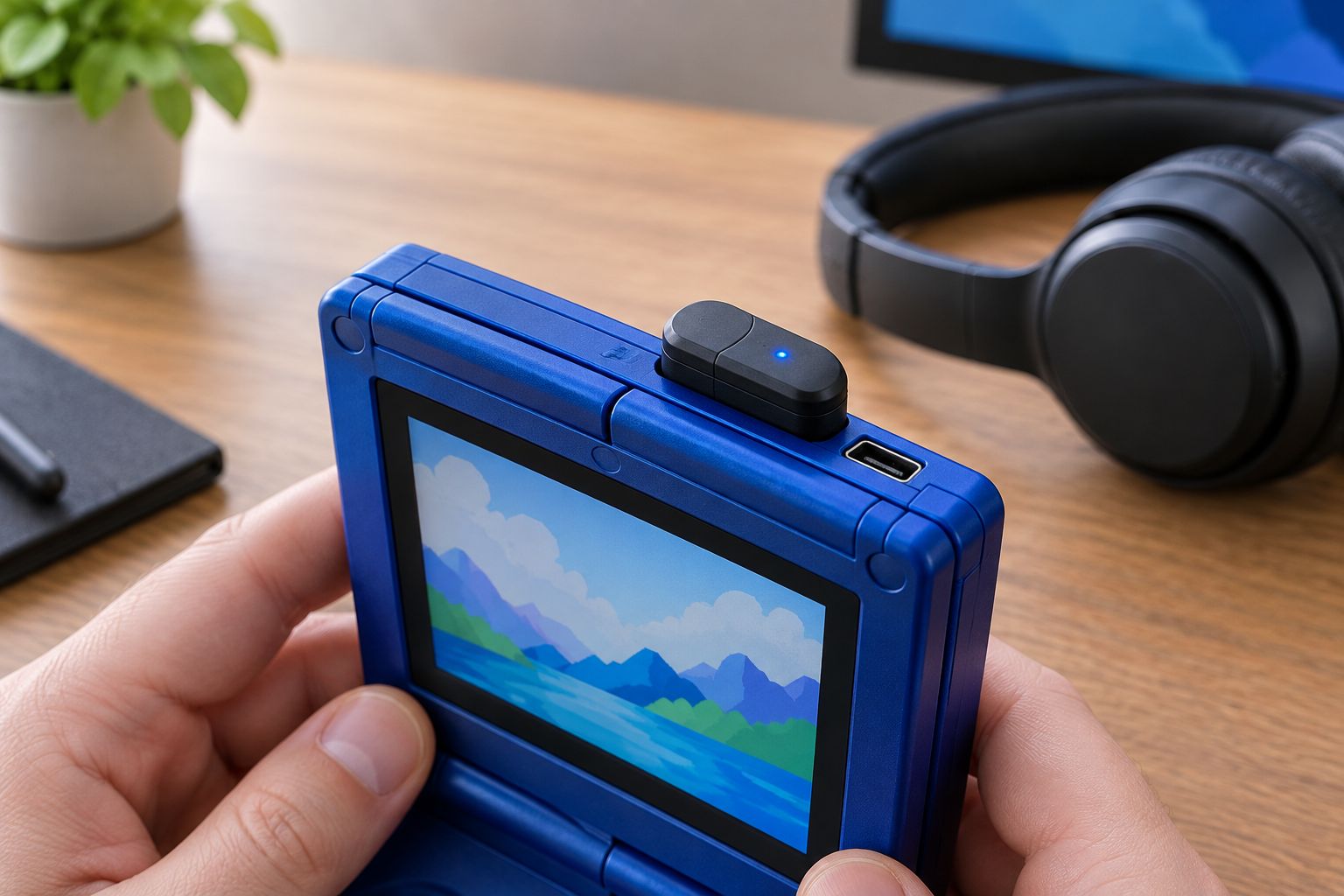
Expected result: the transmitter's LED is flashing, and the GBA SP's speaker goes silent because audio is now routing to the adapter instead.
Pair your headphones to the adapter
- Put your Bluetooth headphones into pairing mode (usually a long-press on the power or Bluetooth button until the LED flashes rapidly).
- Wait for the transmitter's LED to switch from flashing to solid — that's the handshake completing.
- Confirm sound by starting any game with music, like the title screen chime. If nothing plays, recheck that the GBA SP volume wheel or slider is turned up.
Expected result: solid LED on the transmitter, audio playing through the headphones, and silence from the console's built-in speaker.
Set the volume levels
- Set the GBA SP's own volume to a mid-to-high level — this is your primary volume control since it's the source signal.
- Use the transmitter's gain button, if it has one, only for fine adjustment — most adapters have a narrower volume range than the console itself.
- Test with a game that has both music and sound effects (menu blips are a good stress test for balance).
A GBA SP link-port Bluetooth adapter is the only way to get wireless audio on a Game Boy Advance SP in 2026, because the SP shell never had a headphone jack to begin with.
Got an original GBA instead? Here's the easier path
If you're working with an original Game Boy Advance (AGB-001, the non-SP model from 2001), skip the link-port adapter entirely. The AGB-001 has a factory 3.5mm headphone jack, so a standard Bluetooth audio transmitter plugs straight in the same way it would on any older MP3 player.
| Method | Works with | Setup difficulty | Verdict |
|---|---|---|---|
| Link-port Bluetooth transmitter | GBA SP (AGS-001 / AGS-101) | Moderate — needs the correct connector | Buy — the only wireless option for SP models |
| 3.5mm Bluetooth transmitter | Original GBA (AGB-001) | Easy — plug and pair | Buy — cheapest and fastest route |
| Internal headphone jack mod | GBA SP, advanced modders only | Hard — soldering required | Skip unless you're already comfortable opening the shell |
Troubleshooting
- No sound at all. Reseat the link-port connector — it needs to click or sit flush, and a millimetre of play kills the signal entirely.
- Audio cuts in and out. Move the GBA SP closer to the headphones; link-port adapters often have shorter Bluetooth range than phone-based transmitters because of their smaller antenna and battery.
- Noticeable lag between button press and sound. This is inherent to Bluetooth audio, not a fault — expect 100-200ms of latency, which is fine for exploring but throws off precise rhythm-game timing.
- Faint buzzing or static in the audio. On IPS-modded consoles, this is sometimes electrical noise from the backlight driver bleeding into the link port line. Try a different adapter unit before assuming the screen mod is at fault.
- Transmitter won't pair a second time. Forget the device on your headphones and re-pair from scratch — most cheap transmitters don't handle reconnection cleanly after the first session.
“If the LED stays flashing instead of going solid, the headphones never finished pairing — check them, not the console.”
Customize your workflow
Once Bluetooth audio is running, the same link port setup opens up a few adjacent workflows worth knowing:
- Pair the adapter once per headphone set and it'll usually auto-reconnect on power-up after that, so you're not repeating the pairing steps every session.
- If you're also charging the console on the go, check charging a modded GBA SP with any USB-C charger — the link port and charging port are separate, so both can run at once.
- Multiplayer link cable setups use the same physical port, so if you're deciding between wireless audio and wireless multiplayer, setting up a GBA wireless adapter with a modded SP covers the trade-off — you can't run both adapters in the port simultaneously.
Browse modded GBA SP consoles
IPS V5 screens and USB-C charging on Retrofit's refurbished SP lineup.
FAQ
Can you connect a GBA SP to Bluetooth headphones directly?
No — the GBA SP has no headphone jack or built-in Bluetooth, so you need a link-port Bluetooth transmitter adapter as a middle step in 2026.
Does the original GBA have a headphone jack?
Yes, the original Game Boy Advance (AGB-001) has a factory 3.5mm headphone jack, unlike the GBA SP, which removed it entirely.
Why does my GBA SP have no sound after plugging in the adapter?
Check that the link port connector is fully seated and the GBA SP's own volume is turned up, since the adapter pulls its signal from the console's audio output.
Is there lag when using Bluetooth headphones with a GBA SP?
Yes, expect roughly 100-200ms of Bluetooth audio latency, which is normal for wireless transmitters and generally fine outside of rhythm-timing games.
Will a modded IPS screen affect Bluetooth headphone audio on a GBA SP?
An IPS V5 screen mod doesn't change the link port wiring, though some adapters can pick up minor electrical noise from the backlight driver.
Do I need a special adapter for a GBA SP versus a regular GBA?
Yes — a GBA SP needs a link-port Bluetooth transmitter, while an original GBA works with any standard 3.5mm Bluetooth transmitter in its headphone jack.
Can two GBA SP consoles share one Bluetooth adapter?
No, each GBA SP needs its own link-port adapter since the port only supports one connected device at a time.
One last thing
The irony of GBA SP Bluetooth audio in 2026 is that Nintendo's 2003 hardware decision to drop the headphone jack is the entire reason a link-port workaround exists at all — the original GBA never needed one. If you're buying a console specifically for private wireless audio, an original AGB-001 with a standard transmitter is genuinely the simpler purchase over an SP and a link-port adapter.






