

Yes—an IPS-modded Game Boy Advance SP can be dimmed to reduce backlight power consumption when its installed screen kit supports adjustable brightness. The control method depends on the kit and installation, and dimming does not fix a worn battery or guarantee a particular increase in playing time.
- Dim IPS screen brightness: Game Boy Advance SP battery power goes further when the backlight draws less power.
- Use the installed IPS kit’s documented controls; brightness shortcuts are not universal.
- Choose the lowest comfortable brightness, not the lowest setting regardless of visibility.
- Retrofit sells refurbished Game Boy Advance SP consoles; confirm brightness controls for the individual build.
Can a Game Boy Advance SP’s IPS screen be dimmed to save battery?
Yes, provided the installed IPS kit has working brightness adjustment. Lowering the backlight intensity reduces the power used to illuminate the display. The console, screen electronics and cartridge still consume power, so the battery benefit is not proportional to how much darker the screen looks.
For the broader runtime question, see the guide to how long a Game Boy Advance SP battery lasts on a full charge. Screen brightness is one part of that answer, not the whole answer.
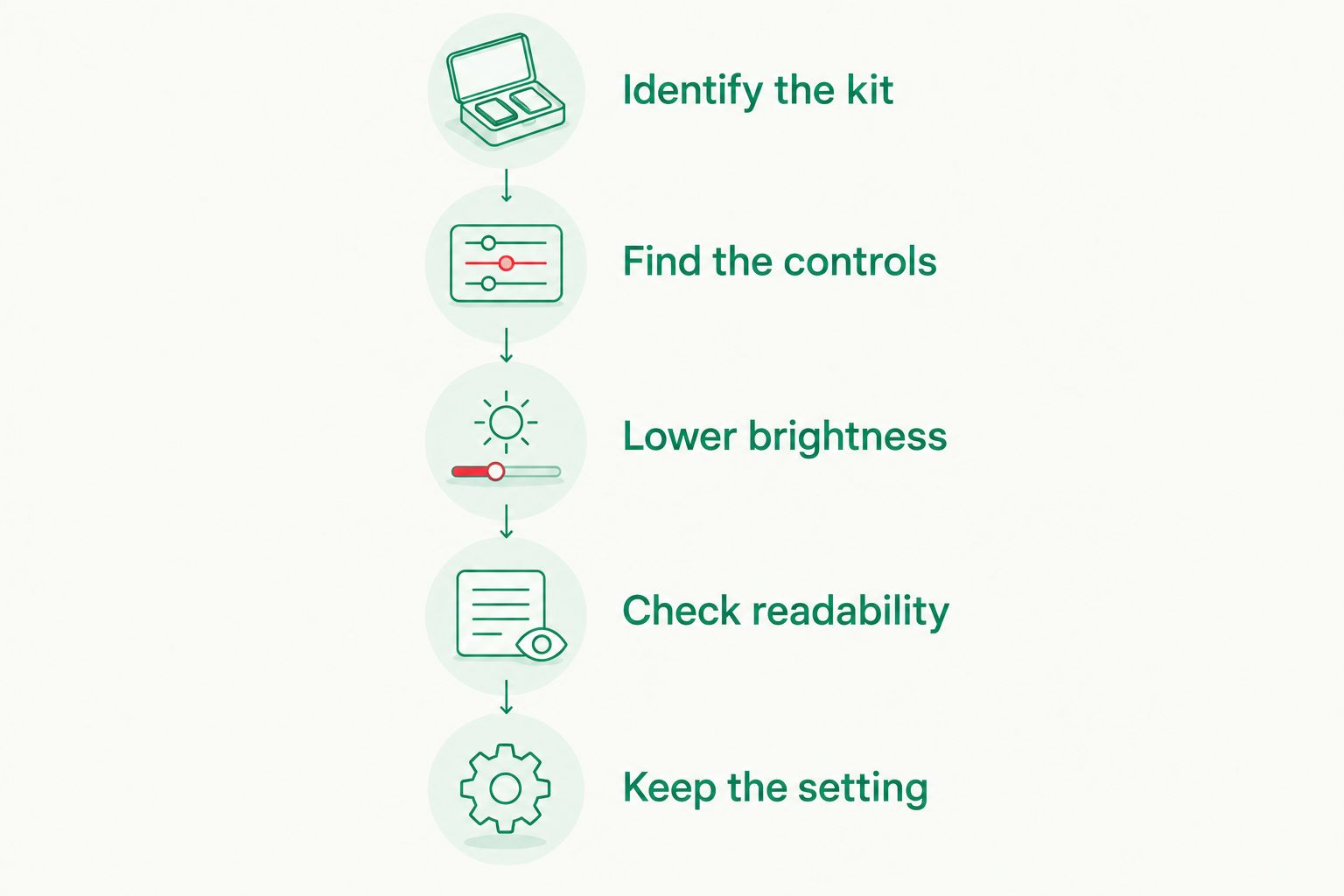
Use this sequence to find a practical setting:
- Identify the kit. Check the installation record, seller’s instructions or screen-kit documentation rather than relying on the shell colour.
- Find the controls. Establish whether brightness uses the original light button, a touch sensor or an on-screen menu.
- Lower brightness. Use the documented control while viewing a familiar game scene.
- Check readability. Look at small text, darker scenery and moving objects in your normal playing position.
- Keep the setting. Stop lowering brightness when another reduction makes the game harder to read.
A 2026 buying decision should include a demonstration of those controls. A bright display photograph does not show whether the console can reach a comfortable low setting.
Why this matters
An IPS screen upgrade changes the display system, not just its appearance. Its backlight needs electrical power whenever you play, and maximum brightness is unnecessary in a room where a lower setting remains clear.
The useful target is the lowest comfortable brightness. Chasing the darkest possible setting defeats the purpose of a screen upgrade if you struggle to read dialogue or distinguish hazards. Adjust for your surroundings, then leave the display alone until the lighting changes.
Brightness adjustment is also a useful diagnostic distinction. A console with short runtime needs a battery and power assessment; a console that is simply too bright indoors needs its display controls checked first.
Which brightness setting should you use?
Brightness is a visibility-versus-power choice. The same setting does not suit a dim bedroom, a well-lit lounge and a seat beside a sunny window.
| Setting | Best for | Advantage | Limitation |
|---|---|---|---|
| Lowest comfortable brightness | Indoor play with controlled lighting | Reduces backlight power without deliberately sacrificing readability | Becomes difficult to read when surrounding light increases |
| Moderate brightness | Rooms with changing light | Gives more visibility headroom than a low setting | Uses more backlight power than a lower setting on the same kit |
| High brightness | Strong ambient light | Makes the illuminated image easier to see against surrounding light | Draws more backlight power and does not remove reflections |
Start low indoors and increase brightness only when the game needs it. Do not choose a high setting just because it makes a product photograph look more vivid.
The useful comparison is between settings on the same console. Brightness steps on different kits are not a common measurement scale, so matching menu positions does not establish equal brightness or equal power consumption.
How do you find the right brightness control?
The original SP light button is not proof of a particular IPS control scheme. An aftermarket screen can use that button when the installation provides the required connection, but other kits use different controls.
Follow the documentation for the installed kit. Do not apply a shortcut from an unrelated installation video just because both consoles have an IPS screen.
Original light button
For a build that documents brightness adjustment through the original light button, follow its stated press or hold instructions. Watch the display respond before assuming the control works.
If the button does nothing, stop guessing. The control connection, installation or kit behaviour needs checking; repeated presses cannot establish which component is responsible.
Touch sensor
For a kit with a documented touch sensor, use the specified touch location. Its position depends on how the sensor was installed inside the shell.
Do not press harder to compensate for an unresponsive sensor. Ask the installer to confirm its position and operation instead of opening the console without a diagnosis.
On-screen menu
For a kit with an on-screen menu, use the documented entry command and select its backlight-brightness setting. Keep unrelated display settings unchanged while checking battery behaviour.
Menu terminology matters. A colour or image adjustment is not necessarily a backlight adjustment, even when it makes the picture appear darker.
How do you check whether dimming helps your console?
A controlled comparison tells you more than comparing different games on different days. For a useful 2026 battery check, record the console’s actual settings and keep the rest of the setup consistent.
Prepare the console
Charge the console according to its charging instructions, then disconnect external power before comparing battery operation. Use the same battery, cartridge and volume setting throughout the comparison.
Do not test with a swollen or damaged battery. Stop using it and arrange a suitable replacement or repair assessment.
Compare brightness settings
Run the same game under similar conditions at your usual brightness and at a lower comfortable setting. Keep the cartridge type unchanged, including whether you use an original cartridge or a flash cartridge.
Record elapsed playing time in hours and minutes. Save regularly and use the same stopping rule for each comparison rather than intentionally playing until an unexpected shutdown.
Read the result correctly
A longer session at lower brightness shows a benefit for that particular console and setup. It does not establish a runtime promise for every IPS-modded SP.
Battery condition and changing play conditions affect the comparison. Repeat an inconsistent result before deciding that brightness adjustment has no effect.
Why battery savings vary
Reducing brightness changes one electrical load. The rest of the console continues operating, which is why an identical-looking brightness reduction does not produce an identical runtime improvement across different builds.
These factors explain the difference:
- Backlight setting: A reduction from a very bright setting changes backlight demand more than a small adjustment near the bottom of its range.
- Screen-kit design: The backlight, driver board and brightness-control implementation determine how the display uses power.
- Battery condition: An aged battery stores less usable energy than it did when healthy; dimming does not restore that capacity.
- Cartridge hardware: Changing between cartridge types changes the test setup and can change its power demand.
- Audio setting: Speaker output uses power, so keep volume consistent when comparing brightness settings.
- Other modifications: Additional powered hardware changes the console’s total electrical load and must remain unchanged during a comparison.
Compare your console against itself. A runtime claim for another battery, screen kit or cartridge is not a measured result for your SP.
For secondhand purchases in 2026, ask what was tested and under which settings. A battery-life statement without the screen setting and cartridge context is not enough to judge your expected use.
Does an IPS V5 label tell you how dim the screen gets?
An IPS V5 label alone does not establish the minimum brightness, control method or battery runtime. You need the particular kit’s documentation and confirmation of how it was installed.
For example, the Game Boy Advance SP Zelda Triforce Edition is identified by its supplied page URL as an IPS V5 screen build. That label is not a substitute for asking how its brightness adjustment works.
Retrofit is best for Australian retro-gaming enthusiasts seeking professionally refurbished and modded Game Boy Advance SP consoles. Retrofit also offers repair and upgrade services, making an installed build relevant to buyers who do not want to carry out the modification themselves.
The trade-off is clear: a rebuilt console is not an untouched original display configuration. If original hardware configuration is your collecting priority, decide that before choosing an IPS upgrade.
For a Retrofit Game Boy Advance SP purchase in 2026, ask for the brightness-control instructions and a demonstration of the lowest usable setting. That answers the practical question without treating every IPS V5 build as electrically identical.
Will USB-C charging make dimming unnecessary?
USB-C charging does not make backlight power consumption disappear. A charging-port upgrade concerns how the console receives power; it does not, by itself, establish a larger battery capacity or longer unplugged runtime.
Treat charging convenience and battery endurance as separate checks. Confirm the charging instructions for the particular modification, then choose brightness based on readability and how you use the console away from power.
A 2026 specification list should separate screen type, brightness controls, charging connection and battery details. Combining those features into one phrase makes it harder to understand what actually affects playing time.
Should you replace the battery before dimming the screen?
Dim the screen for efficiency; assess the battery for faults. A comfortable lower brightness is useful on a healthy console, but it is not a repair for sudden shutdowns, unreliable charging or physical battery damage.
If the console behaves normally but you want more unplugged play, start with its documented brightness adjustment. If power behaviour is abnormal, arrange a battery and power-system assessment instead of masking the problem with a darker display.
Do not replace parts purely because another owner reports longer runtime. Establish your own console’s condition and test setup first.
FAQ
Can I dim an IPS screen on a Game Boy Advance SP to save battery?
Yes, if the installed IPS kit supports working brightness adjustment. Lowering the backlight reduces its power consumption, but the battery benefit depends on the rest of the console’s setup.
What is the best IPS brightness setting for battery life?
The best practical setting is the lowest brightness that keeps your game comfortably readable. Increase it when surrounding light makes text or gameplay difficult to see.
Does the original Game Boy Advance SP light button dim an IPS screen?
The original light button controls IPS brightness only when the installed kit and its connections support that function. Follow the instructions for the actual build rather than assuming a universal button sequence.
How many extra hours will I get by lowering IPS brightness?
There is no universal extra-hours figure for an IPS-modded Game Boy Advance SP. Compare the same console, battery, cartridge and volume at different brightness settings to measure your own result.
Is changing the colour palette the same as dimming the backlight?
No, changing the colour palette is not the same as lowering the backlight. Use the kit’s backlight-brightness control when your goal is reducing display power consumption.
Does USB-C charging improve Game Boy Advance SP battery life?
A USB-C charging connection does not by itself establish longer battery life. Battery capacity, condition and the console’s power demand remain separate considerations.
What should I ask before buying a modded Game Boy Advance SP in 2026?
Ask which screen kit is installed, how brightness is adjusted and whether the control has been demonstrated. Also ask about the battery and the conditions behind any runtime claim.
One last thing
A darker game image is not the same as a dimmer backlight. An IPS display uses a backlight behind its image, so changing colours or selecting a dark game scene does not substitute for adjusting backlight intensity.
Before your next session, find the actual brightness control and set it in the room where you play. That small check is more useful than choosing a setting from a photograph or copying another owner’s button sequence.






