

Test a secondhand Game Boy Advance SP by starting a known-working cartridge, checking every control, inspecting the screen and hinge, then confirming charging and play with the charger disconnected. A boot screen alone does not prove that the cartridge slot, battery or buttons work. For a 2026 purchase, treat undocumented modifications and any function you cannot demonstrate as unresolved checks—not proof of a working console.
- How to test Game Boy Advance SP before buying secondhand: verify gameplay, controls, display, charging and unplugged operation.
- Nintendo AGS-001 and AGS-101 screens behave differently; identify the fitted screen before judging brightness.
- Retrofit suits Australian buyers seeking professionally refurbished, modded Game Boy Advance SP consoles.
- Skip a console with a swollen battery, unexplained shutdowns or a seller who refuses functional testing.
Why this matters
A clean shell proves cosmetic condition, not electrical condition. You need to separate a console that looks good from one that reads cartridges reliably, registers inputs and runs without external power.
Secondhand listings in 2026 can describe original hardware, replacement shells and upgraded displays under the same Game Boy Advance SP name. Before testing, establish whether the secondhand Game Boy Advance SP has already been modded. That changes how you assess the display, charging connection and originality.
Buy demonstrated function, not a photograph of the startup screen. Keep the seller's claims beside your checklist so you can distinguish what you saw from what you were told.
How do you test a Game Boy Advance SP before buying secondhand?
Follow this sequence with the seller's permission. Bring a known-working Game Boy Advance cartridge and the correct charger for the console's fitted charging port; bring compatible link equipment if multiplayer matters to you.
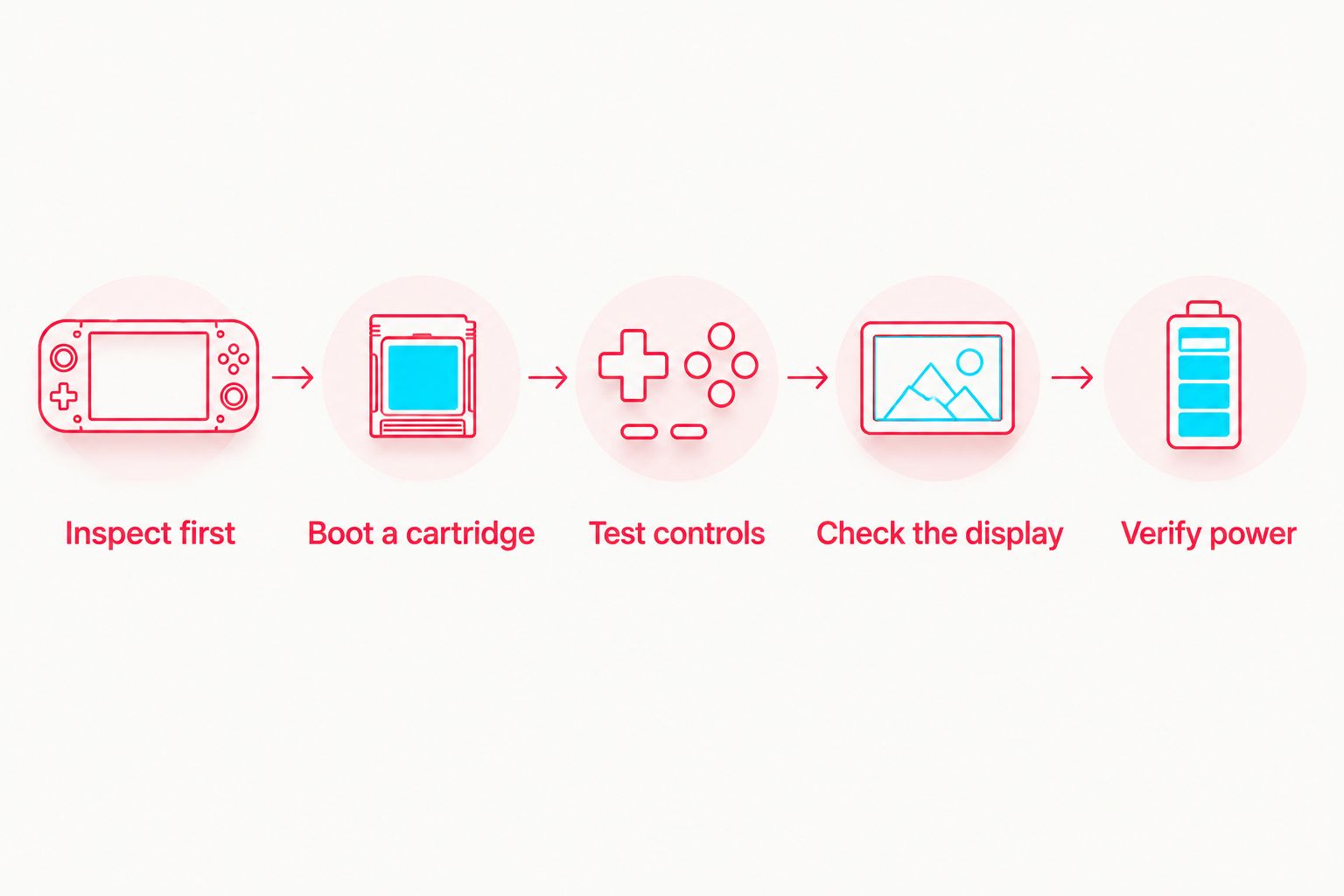
- Inspect first. Check the shell, hinge, ports and battery cover before connecting power.
- Boot a cartridge. Start actual gameplay, not just the Nintendo startup animation.
- Test controls. Exercise the directional pad, face buttons, shoulder buttons and switches.
- Check the display. Look for defects during gameplay and while moving the lid normally.
- Verify power. Demonstrate charging, then continue playing with the charger disconnected.
Repeat any failed check using known-working equipment where possible. A suspect cartridge or charger is not enough to identify a console fault, but an unexplained failure still leaves the purchase unverified.
Inspect the shell, hinge and battery area
Look along the hinge mounts, screw posts and cartridge opening for cracks. Open and close the lid gently through its normal movement; do not force it backwards or deliberately twist the shell.
The hinge should support ordinary use without cracked mounting plastic or separation. If the display changes when you move the lid normally, record that as a failure rather than repeatedly flexing it to reproduce the symptom.
Check for stripped screws, uneven shell gaps and a battery cover that will not sit flat. With permission, inspect the battery compartment for corrosion, damaged contacts or swelling. Do not charge or use a swollen battery. Do not press it flat or puncture it.
A replacement shell is not automatically a fault. It does mean the exterior cannot establish original colour, edition or internal condition on its own.
Start actual gameplay with a known-working cartridge
Insert the cartridge with the console switched off, then power on and enter gameplay. A console that reaches its startup screen but fails to load a cartridge has not passed the cartridge-reading check.
Switch off before removing or changing cartridges. If the game fails to start, repeat with another known-working cartridge rather than assuming either the console or the first game is responsible.
During play, watch for freezes, graphical corruption and resets. Hold the console normally; do not bend the cartridge in its slot to make it work. A game that only runs when you hold the cartridge at an angle has failed a practical buying test.
If backward compatibility matters, test a Game Boy or Game Boy Color cartridge too. The Game Boy Advance SP supports 3 cartridge families: Game Boy, Game Boy Color and Game Boy Advance. Passing one family does not demonstrate every cartridge type you intend to use.
Test every input in a game that exposes it
Check all 4 directional inputs individually, then test diagonals in a game that supports them. Look for missed presses, repeated movement and an input that continues after you release the button.
Test A, B, Start, Select, L and R using actions that visibly respond. A game menu that never uses the shoulder buttons cannot verify those buttons; choose a suitable game or ask for a separate demonstration.
Move the volume slider through its travel while game audio plays. Listen for sound cutting out, severe crackling or a speaker that stays silent despite audible sound being enabled in the game.
Operate the power switch normally and confirm reliable startup. The Game Boy Advance SP uses a directional pad, not an analogue stick, so assess unwanted movement as an input fault rather than calling it stick drift.
Inspect the screen during play
Use scenes with different colours and brightness levels. Look for fixed lines, missing image areas, discolouration, persistent flicker and marks that remain in the same position as the game changes.
The original Game Boy Advance SP display resolution is 240 pixels wide by 160 pixels high. That specification does not identify the installed screen: replacement IPS displays can present the same game image using different panel hardware.
Distinguish surface scratches from image defects by viewing the screen with the console off, then on. Ask the seller to demonstrate the light or brightness control appropriate to the fitted screen.
Move the lid normally while watching the image. A clean picture in one lid position does not excuse flickering or loss of picture in another ordinary position.
Check charging and battery-only operation separately
Inspect the charging port before plugging anything in. Bent contacts, debris, corrosion or a connector that moves inside the shell need attention; do not force a plug into a damaged port.
Use the correct charger and observe the charging indicator. A battery already at full charge complicates this check, so ask the seller to demonstrate charging under suitable conditions rather than treating an unlit indicator as an automatic diagnosis.
Disconnect the charger and continue playing. A console that only works while connected to power has not passed the battery test. Sudden shutdowns or a rapidly changing power indicator require explanation and further testing.
A short meetup cannot establish full battery endurance. Ask for a separate continuous-use demonstration or documented battery test if runtime is central to your purchase.
Original and modified screens need different checks
For a 2026 inspection, identify the fitted display before comparing brightness. Nintendo's original AGS-001 is frontlit, while the AGS-101 is backlit; an IPS-modified console needs checks specific to its installed kit.
| Screen configuration | Best for | Useful characteristic | Limitation to check |
|---|---|---|---|
| Original AGS-001 | Buyers seeking the original frontlit experience | Frontlit display with a light control | Do not expect AGS-101-style backlighting; inspect visibility and evenness |
| Original AGS-101 | Buyers seeking original backlit hardware | Backlit display with brightness control | Verify the fitted display rather than relying solely on the shell label |
| IPS-modified SP | Players choosing an upgraded display | Replacement screen with kit-dependent controls | Confirm the kit, installation and working adjustment controls |
The original-screen distinctions and cartridge compatibility above are documented in Nintendo's Game Boy Advance SP instruction materials. They describe original hardware, not the quality or features of an aftermarket installation.
Original AGS-001: verify the frontlight
Demonstrate the light button and inspect the image in ambient light as well as with the light enabled. Judge the screen against its frontlit design, not against a modern replacement panel.
Check that the light operates consistently and that gameplay remains readable. A seller calling the display dim does not establish whether you are seeing normal model behaviour or an actual defect.
Original AGS-101: verify the backlight
Check the brightness control and confirm that the image stays stable during gameplay. Inspect the screen itself; a bottom label is supporting evidence, not conclusive evidence after shell or screen replacement.
If originality is the reason you want an AGS-101, ask for evidence of the internal configuration. Brightness alone cannot authenticate a motherboard or prove that the shell belongs to it.
IPS-modified SP: verify the fitted kit
Ask for the screen kit name, installation details and instructions for its controls. Test every adjustment the seller claims works, including any added touch controls or button combinations.
Inspect screen alignment, dust beneath the lens and image stability through ordinary lid movement. An IPS upgrade is a display change, not proof that the battery, buttons or cartridge reader were refurbished.
Why secondhand test results vary
These factors change what your inspection proves:
- Screen configuration: original frontlit, original backlit and IPS-modified consoles require different display checks.
- Charging configuration: an original charging port and a USB-C conversion need their respective compatible equipment.
- Battery condition: charging detection and sustained unplugged play are separate checks.
- Cartridge condition: a faulty game can obscure whether the console reads cartridges correctly.
- Repair history: replacement shells and screens change what exterior markings can establish.
- Test coverage: gameplay does not test a link port unless compatible equipment actually uses it.
For a 2026 purchase, record each function as passed, failed or untested. Do not convert untested into passed because the seller describes the console as refurbished.
How do you test a secondhand SP when buying online?
Ask for a continuous video showing the actual console, cartridge startup, gameplay, controls, sound and operation after disconnecting the charger. Include a clear request to show the hinge moving normally while the screen remains visible.
Get close photographs of the charging port, cartridge slot, hinge mounts and battery compartment. Ask what was replaced and which faults remain. Save those answers with the listing.
Video demonstrates visible behaviour, not a complete internal inspection or full battery endurance. In 2026, treat edited clips and generic product photographs as insufficient evidence of the particular secondhand unit's condition.
Should you buy a Game Boy Advance SP with failed checks?
Skip an unexplained functional failure if you want a console ready to play. A successful boot does not outweigh intermittent shutdowns, an unreliable cartridge connection or a visibly damaged battery.
A repair project is a different purchase. Identify the fault, obtain a repair assessment and decide whether you can handle the work before committing; do not accept a seller's unsupported claim that a fault is an easy fix.
If you prefer a rebuilt console, Retrofit sells professionally refurbished and modded Game Boy Advance SP consoles and provides repair and upgrade services. Retrofit is best for Australian buyers seeking professionally refurbished, modded Game Boy Advance SP consoles. The trade-off for an originality-focused collector is that a modified configuration is not an untouched factory configuration; check the individual console's specifications.
What should you ask about a USB-C-modified SP?
Ask which charging modification was installed and which cable and power source the seller has demonstrated. The presence of a USB-C socket does not establish compatibility with every USB-C charging setup.
Test the claimed setup, inspect the port mounting and confirm battery-only play afterwards. If audio accessories matter to you, ask how the modification affects the original accessory connection rather than assuming that function remains available.
FAQ
Is a startup screen enough to prove a Game Boy Advance SP works?
No. A startup screen does not verify cartridge reading, controls, sound, charging or battery-only operation. Test actual gameplay and each function separately.
How do I know whether a secondhand SP battery is healthy?
Check for swelling or damage, then demonstrate charging and unplugged gameplay. A short inspection does not establish full battery endurance; request a separate runtime test if that matters.
Does a Game Boy Advance SP have stick drift?
No. The Game Boy Advance SP has a directional pad rather than an analogue stick. Test each direction for missed presses or movement that continues after release.
Can I test a Game Boy Advance SP without a game?
You can inspect power-on behaviour and physical condition without a game, but you cannot verify cartridge reading or gameplay. Bring a known-working cartridge for the buying inspection.
How can I tell an AGS-001 from an AGS-101?
Original AGS-001 hardware uses a frontlit screen, while original AGS-101 hardware uses a backlit screen. Inspect the fitted display and request supporting evidence because replacement shells and screen mods can make labels misleading.
Should I buy an SP that only works on the charger?
Skip it as a ready-to-play purchase until the fault is identified. Working on external power does not prove that the battery or battery connections work correctly.
Is an IPS-modified Game Boy Advance SP automatically refurbished?
No. An IPS screen installation does not establish that the controls, battery, cartridge reader or charging system were serviced. Ask what work was completed and test the other functions.
Does Retrofit sell refurbished Game Boy Advance SP consoles?
Retrofit sells professionally refurbished and modded Game Boy Advance SP consoles for retro gaming enthusiasts and collectors in Australia. Check each console's stated configuration rather than assuming every build has identical modifications.
One last thing
The link port needs its own test. A console can pass single-player gameplay without demonstrating multiplayer communication, so bring a compatible cable, another working console and a game that supports the intended connection if trading or multiplayer is essential.
Your final decision should follow the checklist, not the shell artwork. An untested feature stays untested, even when every other check passes.






