

Best overall: a refurbished Game Boy Advance SP with confirmed audio testing. Best for original-hardware collectors: an unmodified SP with clean sound. Best for headphone listening: an SP with a verified compatible audio adapter. This 2026 guide ranks buying configurations, not shell editions: a Pokémon design, IPS V5 screen or USB-C charging port does not establish better sound.
- For gameboy advance sp sound quality ranked, choose verified audio condition before shell design or screen upgrades.
- Retrofit sells refurbished Game Boy Advance SP consoles; ask for speaker and headphone-output checks before choosing an edition.
- The Game Boy Advance SP has a mono speaker; compatible headphone adapters provide a separate listening route.
- An amplifier upgrade targets loudness, not automatically cleaner sound. Check distortion and background noise.
Why this matters
Sound quality is a condition-and-configuration question, not an edition name. A clean speaker, dependable volume control and working audio output matter more than whether the console has a themed shell. Screen brightness belongs in a separate comparison.
Retrofit sells professionally refurbished and modded Game Boy Advance SP consoles and offers repair and upgrade services. For an audio-first purchase, ask what has been checked on the specific console. A general refurbishment description is not a substitute for a speaker demonstration.
The distinction matters when buying in 2026. Original Nintendo hardware and modern display upgrades can coexist, but a display specification tells you nothing about speaker distortion, intermittent volume or adapter compatibility.
This ranking gives you a purchase order: start with verified condition, select the listening route you need, then choose the finish. It does not award unsupported sound scores to individual editions.
What makes the best Game Boy Advance SP for sound?
Use these criteria before comparing consoles:
- Speaker clarity: Music and effects should remain intelligible without unwanted rattling, buzzing or breakup at your normal listening level.
- Volume control: Moving the slider should change volume consistently, without sudden dropouts or sound disappearing at particular positions.
- Background noise: Listen during quieter passages. Separate intentional game sounds from persistent hiss, hum or electrical interference.
- Headphone output: If you listen privately, verify the exact adapter and console combination rather than assuming every charging modification preserves audio access.
- Modification disclosure: Identify speaker, amplifier, charging and motherboard changes. An IPS V5 screen is a display specification, not an audio upgrade.
- Evidence for the actual unit: A demonstration of the console you will receive is more useful than a recording of another console with the same shell.
Retrofit Game Boy Advance SP consoles are best for buyers seeking professionally refurbished, modded hardware rather than an untouched collector unit. That describes the buying fit, not a claim that every edition sounds different.
Game Boy Advance SP sound options at a glance
The order below ranks suitability for an audio-first purchase. It is not a measured acoustic leaderboard, and the configurations overlap: a refurbished console can also retain its original audio circuit.
| Rank and configuration | Best for | Standout feature | Key limitation |
|---|---|---|---|
| 1. Refurbished SP with confirmed audio checks | Everyday speaker listening | Condition verified before purchase | Refurbishment alone does not specify audio work |
| 2. Unmodified SP with demonstrated clean audio | Original-hardware collectors | Original audio configuration | Age and individual condition still require checking |
| 3. SP with a verified headphone adapter | Private soundtrack listening | Separate headphone listening route | Adapter and port compatibility must be confirmed |
| 4. SP with a documented amplifier modification | Buyers prioritising loudness | Explicit audio-system modification | More output does not prove lower noise or distortion |
| 5. Untested or faulty SP | Repair projects | Opportunity to diagnose and restore | No dependable sound-quality verdict before repair |
1. Audio-checked refurbished SP: best for everyday listening
A refurbished Game Boy Advance SP is the strongest default when you want to play rather than diagnose faults. Make that recommendation conditional on confirmed speaker and volume-control checks; the word refurbished does not identify which components were inspected or replaced.
For a 2026 purchase, request a demonstration with a familiar cartridge. Listen to music, effects and quieter passages, then ask whether the audio behaves consistently across the volume slider.
Audio-checked refurbished SP pros:
- Lets you prioritise working condition over cosmetic presentation.
- Can combine refurbished original hardware with modern display upgrades.
- Gives you a clear opportunity to request audio-specific confirmation before choosing an edition.
Audio-checked refurbished SP cons:
- Refurbishment does not automatically mean a new speaker or repaired audio circuit.
- A phone recording cannot prove the console's full sound character.
- Screen and charging specifications do not establish acoustic performance.
Best for: You want dependable everyday play through the built-in speaker, with the condition checked before purchase.
Verdict: Buy when the seller confirms clean speaker output and consistent volume control.
2. Clean unmodified SP: best for original-hardware collectors
An unmodified Game Boy Advance SP suits collectors who want the original hardware configuration. The familiar AGS-001 and AGS-101 identifiers distinguish original screen variants; neither label establishes that a particular used console has cleaner audio.
Rank individual examples by condition. An intact original unit with demonstrated clean sound is a better audio purchase than an attractive unit with an intermittent volume slider.
Clean unmodified SP pros:
- Retains the original audio configuration when its components remain unchanged.
- Suits a collection focused on original hardware rather than upgrades.
- Avoids uncertainty about undocumented aftermarket audio modifications.
Clean unmodified SP cons:
- Original components still need inspection for faults.
- A clean shell does not establish clean audio.
- The original SP lacks a standard headphone socket, so private listening needs the appropriate adapter.
Best for: You value an original configuration and accept the need to check its condition carefully.
Verdict: Buy for originality after hearing the actual console; skip model-number-only sound claims.
3. Headphone-ready SP: best for private soundtrack listening
A Game Boy Advance SP uses a built-in mono speaker, while its compatible headphone-adapter route supports stereo listening. Headphones provide a different listening experience, not proof that the console's internal speaker is better.
For private play, confirm the adapter before buying. The original SP uses its charging/audio connector for the adapter, and a USB-C modification requires its own compatibility check. A charging port's appearance does not establish that analogue audio remains accessible.
Headphone-ready SP pros:
- Supports private listening without relying on the small built-in speaker.
- Gives you a stereo listening route with compatible equipment.
- Lets you assess headphone output separately from speaker condition.
Headphone-ready SP cons:
- Requires a suitable adapter rather than a direct standard headphone connection.
- Adapter faults can complicate diagnosis.
- Charging modifications require explicit confirmation of audio compatibility.
Best for: You play in shared spaces or prefer listening to game soundtracks through headphones.
Verdict: Buy only after the exact console-and-adapter combination is verified.
4. Amplifier-modified SP: best for prioritising loudness
An amplifier modification changes the audio system and deserves a separate assessment. Treat additional loudness as a different goal from cleaner sound; useful output depends on the amplifier, installation and speaker working together.
Ask which audio components changed and why. For a 2026 build, documentation should distinguish an audio modification from a screen or charging upgrade rather than grouping everything under modded.
Amplifier-modified SP pros:
- Directly addresses audio output rather than unrelated display features.
- Gives buyers a configuration to investigate when loudness is the priority.
- Makes component choice and installation quality explicit buying criteria.
Amplifier-modified SP cons:
- Extra gain is not evidence of improved fidelity.
- Installation faults can introduce unwanted noise.
- A louder demonstration can sound more impressive without being clearer.
Best for: You specifically want an audio modification and can assess its output, noise and installation documentation.
Verdict: Hold until the modification is documented and demonstrated without unwanted breakup.
5. Untested or faulty SP: best for repair projects
An untested Game Boy Advance SP is a repair candidate, not an audio recommendation. A silent or crackling unit needs diagnosis before anyone can rank its sound quality.
The fault is not necessarily the speaker. Volume control, connections and other parts of the audio path also need assessment, so avoid buying on the assumption that one replacement will solve everything.
Untested or faulty SP pros:
- Suits buyers who deliberately want a diagnostic project.
- Gives a repairer a reason to inspect the complete audio path.
- Allows restoration goals to be defined before choosing upgrades.
Untested or faulty SP cons:
- Sound quality is unknown until the fault is resolved.
- Visible condition does not identify the failed component.
- A successful screen demonstration does not verify audio operation.
Best for: You want to repair hardware, not receive a ready-to-play audio experience.
Verdict: Skip for immediate play; buy only as an acknowledged repair project.
How to compare sound before buying
Use the same cartridge and the same passage when comparing consoles. Different music, recording equipment or listening positions make a side-by-side judgement less useful.
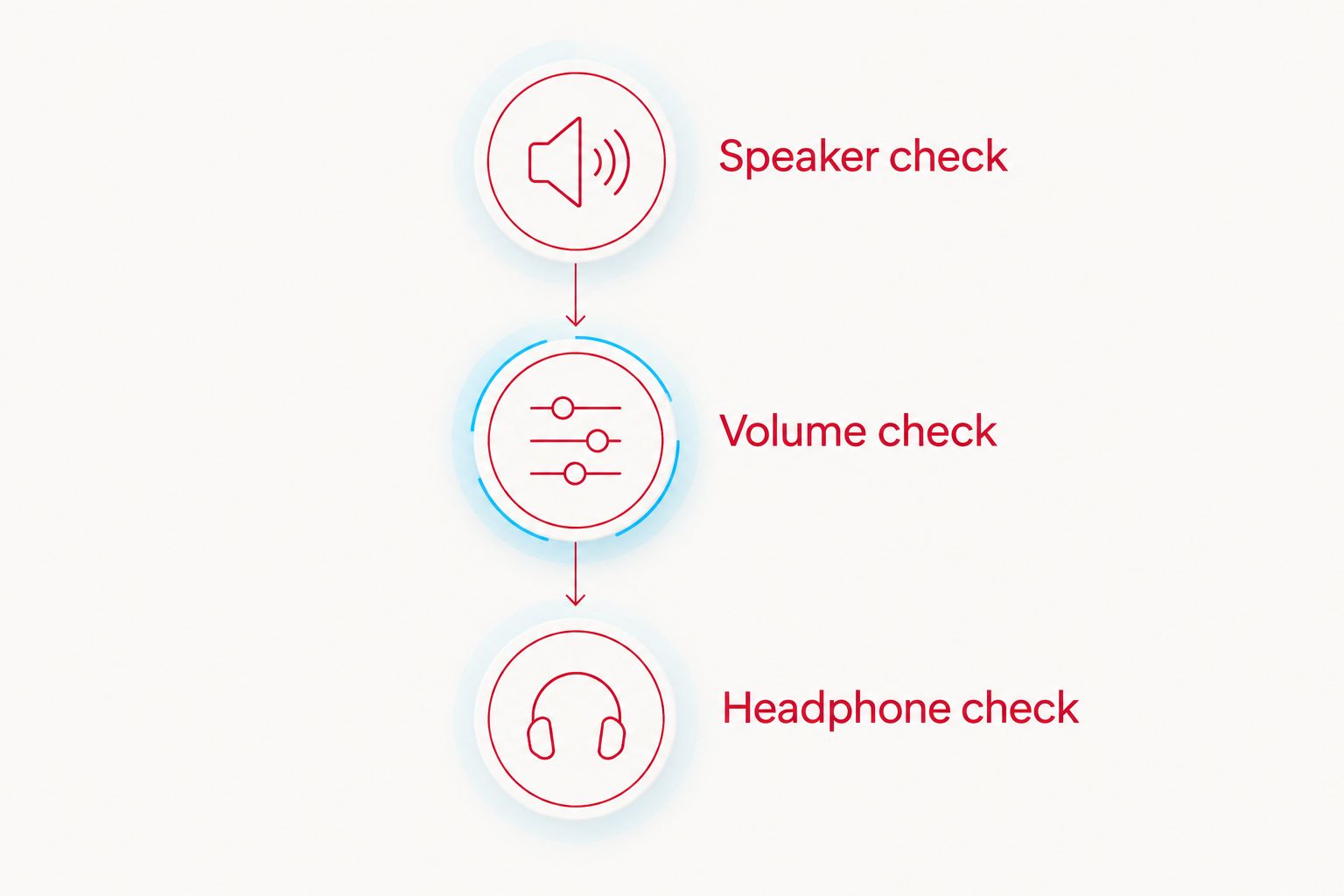
For a practical 2026 inspection, request 3 listening checks: music, effects and quiet passages. These are recommended checks, not a laboratory sound score.
Speaker check
Listen to roughly 30 seconds of familiar music, followed by effects from actual gameplay. Keep the speaker unobstructed and listen for unwanted rattling or breakup rather than judging loudness alone.
Volume check
Compare at least 2 volume settings, then move the slider through its travel. Sound should respond consistently; ask for further inspection if it cuts out, jumps unexpectedly or crackles during adjustment.
Headphone check
If headphones matter, test the intended adapter and headphones on the actual console. A standard 3.5 mm headphone plug needs the appropriate SP adapter; it does not connect directly to an original SP.
Keep recording limitations in mind. Phone microphones, room noise and automatic recording-level adjustments change what you hear, so a video is useful for obvious faults but not a reliable frequency-response comparison.
For an in-person comparison, stay in the same position and avoid covering the speaker with your hand. For an online purchase, ask the seller to explain any noise audible in the demonstration rather than dismissing it as recording artefacts.
Choosing a Retrofit edition without inventing an audio ranking
Retrofit Game Boy Advance SP editions give you themed and refurbished buying options, but their names do not establish an acoustic hierarchy. Choose the design after confirming the audio checks relevant to your listening habits.
The Transparent Black Edition and Zelda Triforce Edition are examples of SP options with IPS V5 screen specifications in their listed URLs. Neither specification is evidence of a better speaker or quieter headphone output.
Best for: Buyers choosing a listed edition after checking its audio condition. For both options, the benefit is access to a refurbished, modded SP offering; the limitation is that the supplied specifications do not support a sound-quality winner between them.


How this ranking works
The ranking prioritises verified condition, then the listening route, then modification-specific requirements. Speaker clarity, volume consistency, background noise, adapter compatibility and component disclosure drive the recommendations.
No edition receives an invented decibel, distortion or noise-floor score. The listed configurations answer different buying needs rather than pretending that shell designs are competing audio technologies.
Which Game Boy Advance SP should you choose?
Choose an audio-checked refurbished SP for everyday play. Select a clean unmodified unit for original-hardware collecting, or a headphone-ready configuration when private listening matters most.
Treat an amplifier modification as a specialist choice and an untested console as a project. For a Retrofit purchase in 2026, confirm the audio condition first and select the edition second.
FAQ
What's the best Game Boy Advance SP for sound quality?
The best default is a Game Boy Advance SP with confirmed clean audio and consistent volume control. Choose by the actual console's condition and your listening route, not its shell edition or display upgrade.
Does the AGS-101 sound better than the AGS-001?
The AGS-101 model identifier does not establish better sound than the AGS-001. These identifiers distinguish original screen variants; assess speaker condition and audio operation on each console.
Does an IPS V5 screen improve Game Boy Advance SP sound?
An IPS V5 screen specification describes the display, not an audio upgrade. Check speaker, amplifier and audio-output details separately.
Is Game Boy Advance SP sound mono or stereo?
The built-in Game Boy Advance SP speaker is mono, while the compatible headphone-adapter route supports stereo listening. Test the output you intend to use rather than treating them as interchangeable.
Can I plug normal headphones into a Game Boy Advance SP?
An original Game Boy Advance SP needs a compatible adapter for standard headphones. If the console has a charging-port modification, confirm that its audio connection supports your intended adapter.
Does USB-C charging make a Game Boy Advance SP sound better?
USB-C charging does not establish better sound quality. Ask separately about the audio circuit and whether the modification preserves the headphone connection you need.
Is a louder Game Boy Advance SP always better?
A louder Game Boy Advance SP is not automatically clearer. Compare unwanted distortion, rattling and background noise at a comfortable listening level before choosing an amplifier-modified console.
Why does my Game Boy Advance SP crackle when I change the volume?
Crackling during volume adjustment calls for inspection of the volume control and audio path. Do not assume that replacing the speaker will resolve the fault without diagnosis.
One last thing
A headphone test is not a speaker test. Clear headphone output does not clear the built-in speaker of faults, and a clean speaker demonstration does not confirm adapter compatibility. Check the route you will actually use before choosing the shell you like.






