

Best overall: a fitted protective case. Best for daily use: a charger matched to your console’s actual port. Best for scratch protection without extra bulk: a correctly sized screen protector. This 2026 guide ranks the best value Gameboy Advance SP accessories by the problems they solve, not by how many extras you can bundle together.
- The best value gameboy advance sp accessories start with a fitted case and a compatible charger.
- Choose a GBA SP headphone adapter for wired audio; a standard USB-C adapter is not an automatic substitute.
- Buy a GBA link cable only when your games and another player support the connection.
- Retrofit suits Australian GBA SP buyers seeking refurbished consoles and repair or upgrade services.
Why this matters
A useful accessory protects your console, restores a missing function or supports something you actually play. A drawer full of incompatible adapters does none of those things. Buy for the hardware in your hands, especially if your SP has been modified.
Retrofit sells refurbished and modded GBA SP consoles, alongside repair and upgrade services. For Retrofit GBA SP buyers, accessory selection starts with the exact console configuration: check the charging port, screen installation and any changes to the original connectors before ordering extras.
A USB-C charging conversion does not prove that USB-C audio works. Likewise, a bright replacement screen does not tell you which protector fits its lens. In 2026, compatibility matters more than a listing that simply says it works with retro handhelds.
What makes the best GBA SP accessories
These criteria determine the ranking. Protection and everyday usability come first; specialist accessories earn their place only when you have a matching use case.
- Port compatibility: The connector must match your specific SP, including any modifications.
- Useful function: The accessory should solve a current problem rather than duplicate equipment you already own.
- Physical fit: Cases, protectors and battery packs need the correct dimensions and clearances.
- Safe operation: Charging equipment needs documented electrical suitability; battery packs need credible specifications.
- Installation effort: An external accessory is a different commitment from opening the console.
- Ongoing usefulness: Prioritise something you will use regularly over an accessory for an imaginary future setup.
Value here means useful function with limited duplication and installation burden. It is not a measured price comparison between manufacturers, and a lower-ranked accessory can become your first priority if it fixes your particular problem.
GBA SP accessories at a glance
| Rank | Accessory | Best for | Standout function | Key limitation |
|---|---|---|---|---|
| 1 | Fitted protective case | Carrying your SP outside home | Separates the console from loose bag contents | Cannot guarantee protection from drops |
| 2 | Compatible charger or charging cable | Reliable everyday charging | Matches the console’s actual charging connector | Stock and USB-C-modified ports need different equipment |
| 3 | SP headphone adapter | Private wired listening | Connects suitable wired headphones to the SP | Connector support depends on modifications |
| 4 | GBA link cable | Local multiplayer and supported trades | Connects compatible consoles and games | Adds nothing to unsupported games |
| 5 | Correctly sized screen protector | Protecting the exposed screen lens | Adds a replaceable surface over the lens | Poor fit can interfere with lid clearance |
| 6 | Compatible replacement battery | Restoring a deteriorated battery | Replaces a worn rechargeable pack | Requires installation and does not fix every power fault |
1. Fitted protective case: best for carrying your SP
A fitted protective case is the default accessory recommendation because it addresses transport rather than changing the console. Choose one that holds the closed SP securely and keeps cables, cartridges and other objects away from its shell.
The SP’s folding lid covers the display, but the outer shell still meets everything else in your bag. A case adds separation. Look for a soft interior, a closure that does not press against the console and enough space to remove the SP without pulling on its hinge.
Protective case pros:
- Keeps loose objects away from the console.
- Gives the SP a consistent place in your bag.
- Requires no installation or electrical compatibility checks.
Protective case cons:
- Adds bulk to an otherwise pocketable handheld.
- Poor internal organisation can let accessories rub against the shell.
- A hard exterior is not proof of tested drop resistance.
Best for: Commuters, travellers and anyone carrying an SP with other belongings.
Do not cram a charger into the same compartment merely because the zip closes. Verdict: Buy a fitted protective case if your SP regularly leaves home.
2. Compatible charger: best for everyday charging
A compatible charger or charging cable restores the most basic function: keeping the console ready to play. An unmodified GBA SP uses Nintendo’s dedicated charging connector; a USB-C-modified SP needs equipment suited to that conversion.
Check the port before buying. For USB-based charging, 5 V is the standard baseline USB supply voltage, but that fact alone does not establish compatibility with a particular mod, cable or power source. Follow the charging hardware’s documented requirements.
Compatible charger pros:
- Replaces missing or damaged charging equipment.
- Supports regular use without opening the console.
- Lets you choose around the port actually installed.
Compatible charger cons:
- The wrong connector is unusable even if the listing mentions GBA SP.
- USB-C connector shape does not guarantee every charging combination works.
- A charging cable does not repair a damaged port or worn battery.
Best for: Owners without dependable charging equipment.
For your 2026 setup, check the connector, power requirements and supported cable arrangement before adding a power bank. Retrofit offers consoles with USB-C charging, but confirm the configuration of the edition you choose. The GBA SP charging accessories guide covers this accessory category separately.
Verdict: Buy a compatible charger first if you cannot reliably charge your SP; otherwise keep the equipment that already works.
3. SP headphone adapter: best for private wired listening
The original GBA SP has no built-in 3.5 mm headphone socket. A compatible SP headphone adapter provides a connection for wired headphones through the console’s supported connector.
This is a useful accessory for shared spaces, but modifications change the compatibility question. A charging-only USB-C conversion does not automatically support audio, and an adapter designed for the original connector cannot plug into a replacement port.
SP headphone adapter pros:
- Enables private listening on compatible hardware.
- Lets you use suitable wired headphones you already own.
- Avoids opening an unmodified console for an audio-socket installation.
SP headphone adapter cons:
- Occupies the connector it uses.
- Adds a protruding plug and another cable.
- Does not guarantee simultaneous charging and listening.
Best for: Players who want wired audio without relying on the built-in speaker.
Ask specifically about audio support if your SP has been rebuilt. Do not assume that a phone’s USB-C headphone adapter works merely because it fits the port.
Verdict: Buy an SP headphone adapter for a confirmed compatible audio connection; skip it if you normally play through the speaker.
4. GBA link cable: best for local multiplayer and trading
A GBA link cable connects compatible handhelds for games that support wired linking. It gives you a function that a case or charger cannot provide: a local connection between players.
For a typical supported two-player connection, you need 2 consoles, the appropriate cable and the software required by that game. Some titles support single-cartridge play; others require compatible cartridges in both systems. Read the game’s instructions rather than treating all multiplayer modes alike.
GBA link cable pros:
- Enables supported local multiplayer.
- Supports trading in compatible games.
- Works without an online account or internet connection.
GBA link cable cons:
- Offers no benefit in games without link support.
- Requires another compatible console and participant.
- GBA and older Game Boy linking requirements are not interchangeable.
Best for: Players with a specific supported multiplayer or trading plan.
For a 2026 Pokémon setup, identify the exact games before choosing the cable. A connector that physically fits is not enough to establish that a particular trade is supported.
Verdict: Buy a GBA link cable when you have the games and another player ready; wait if multiplayer is only a vague possibility.
5. Screen protector: best for replaceable lens protection
A correctly sized screen protector places a replaceable layer over the exposed screen lens. Its job is narrow: take surface wear instead of the lens beneath it.
Match the protector to the installed lens, not just the console name. An IPS screen installation can involve replacement display components, so check the usable surface and closed-lid clearance before applying a protector.
Screen protector pros:
- Adds a replaceable surface over the lens.
- Does not require opening the console.
- Takes up less carrying space than a separate case.
Screen protector cons:
- Dust trapped during installation remains visible.
- Poor fit or excess thickness can affect lid clearance.
- Does not protect the shell, hinge or internal display from every impact.
Best for: Owners concerned about surface scratches on the exposed lens.
Clean the lens using a method suitable for its material, then inspect the protector’s alignment before pressing it down. Do not force the lid shut if the new layer interferes with closure.
Verdict: Buy a screen protector with confirmed fit; skip a generic protector that needs uncertain trimming or creates pressure when closed.
6. Replacement battery: best for a worn rechargeable pack
A compatible replacement battery addresses a deteriorated pack, not every short-runtime complaint. It belongs last in this general ranking because it is a maintenance part requiring installation rather than a simple external accessory.
Confirm battery type, polarity, physical fit and compatibility with the installed charging hardware. Do not select a pack solely because its label displays a larger mAh figure; that figure is a capacity claim, not independent evidence of quality or usable runtime.
Replacement battery pros:
- Replaces an identified worn battery.
- Addresses a maintenance need without changing the whole console.
- Keeps the decision focused on the actual power system.
Replacement battery cons:
- Requires access to the battery compartment.
- Incorrect fit or electrical compatibility creates safety concerns.
- Does not repair charging circuitry or other power faults.
Best for: Owners whose battery condition has been identified as the problem.
Stop using a swollen or damaged battery and arrange safe handling. Retrofit provides GBA SP repair and upgrade services; diagnosis is the better next step when you cannot distinguish a battery fault from a charging fault.
Verdict: Buy a compatible replacement battery for a confirmed battery problem; hold off on speculative replacement.
How this value ranking works
The 2026 ranking prioritises broad usefulness, compatibility clarity and limited installation effort. A fitted case ranks first because it suits transport without depending on electrical modifications; charging equipment takes priority whenever your current charging setup fails.
Headphone adapters and link cables rank below those basics because they serve narrower uses. Screen protectors address lens wear, while replacement batteries require a condition-based decision. This is a buying order, not a claim that every owner needs all six items.
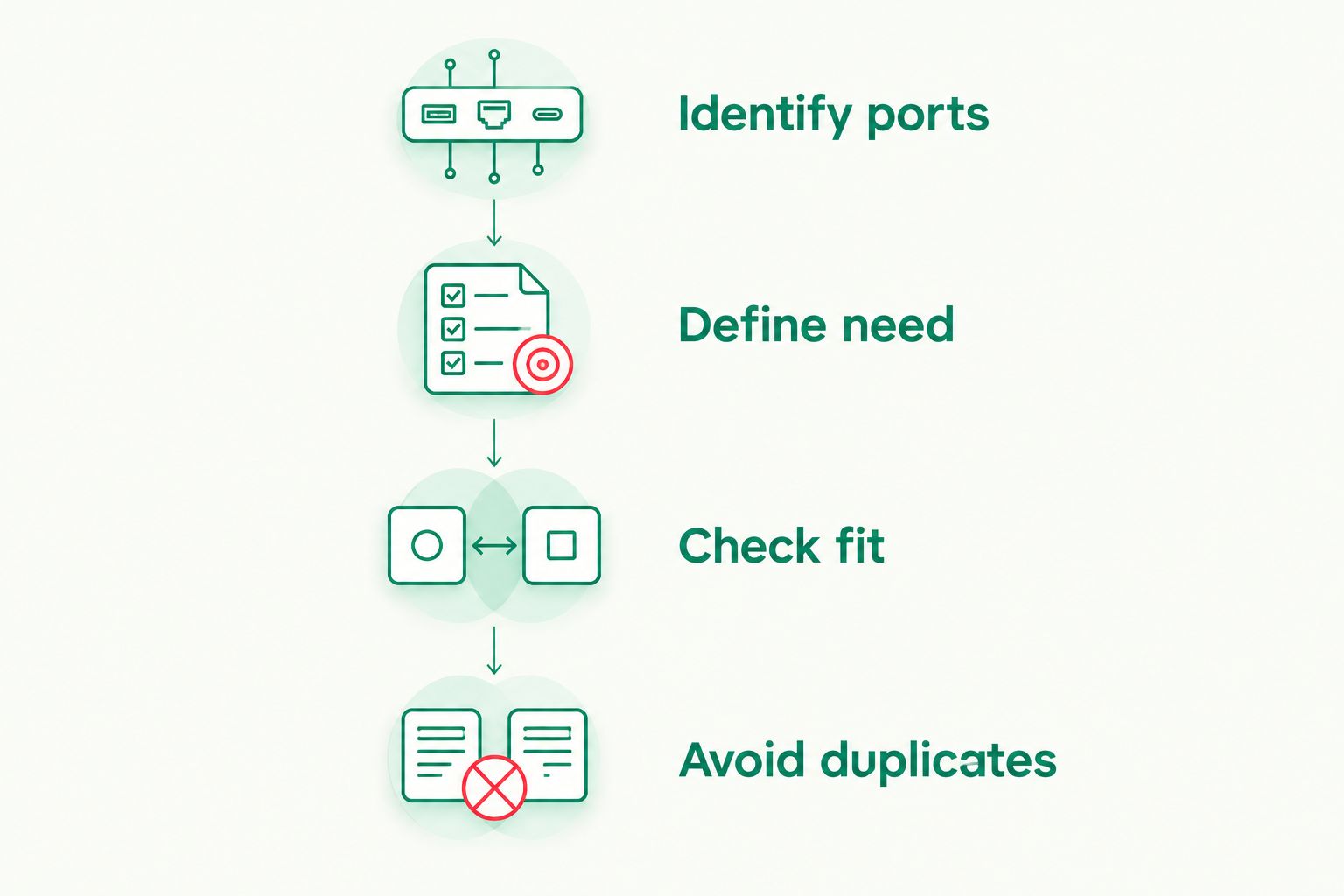
Use these purchase checks:
- Identify ports: Inspect your console’s actual connectors.
- Define need: Name the problem you want to solve.
- Check fit: Confirm physical and electrical compatibility.
- Avoid duplicates: Keep working equipment unless a replacement adds a needed function.
Which GBA SP accessories should you choose?
Choose a fitted case as the default, then buy only what your setup lacks. If charging is unreliable, move the compatible charger to the top. If you play at home with working charging equipment, there is no reason to buy another charger just to complete a bundle.
For Retrofit GBA SP owners in 2026, confirm the installed screen and charging arrangement before choosing accessories. A console already fitted with an IPS V5 screen does not need another screen upgrade simply because a general accessories list recommends one.
Keep upgrades separate from essentials. A display replacement or USB-C conversion changes the console; a case protects it, and a compatible adapter adds a specific external function. Buy the smallest set that supports how you actually play.
FAQ
What are the best value Gameboy Advance SP accessories in 2026?
A fitted case and compatible charging equipment are the strongest starting points for general use. Add an SP headphone adapter, GBA link cable or screen protector only when its function matches your needs.
Should I buy a case or a screen protector first?
Buy a fitted case first if you carry your GBA SP in a bag. A screen protector covers the exposed lens, while a case separates more of the console from loose objects.
Can any USB-C charger charge a modified GBA SP?
Do not assume every USB-C charger and cable combination works with a modified GBA SP. Confirm the charging conversion’s documented requirements and supported cable arrangement.
Can I plug normal wired headphones into a GBA SP?
An original GBA SP needs a compatible headphone adapter because it has no built-in 3.5 mm headphone socket. A modified console needs an audio connection supported by its particular hardware.
Is a GBA link cable worth buying for Pokémon?
A GBA link cable is useful when your exact Pokémon games support the connection you want. Confirm the games, consoles and trading requirements before buying; physical connector fit alone does not establish compatibility.
Will a larger-capacity replacement battery always last longer?
A larger advertised capacity does not guarantee longer usable runtime. Battery quality, actual capacity, screen settings and console condition all affect the result.
Do I need an IPS screen upgrade if my SP already has one?
You do not need another IPS upgrade solely because it appears on an accessories list. Assess the installed screen’s condition and whether it meets your needs before replacing it.
One last thing
Closing the lid is not the same as packing the console safely. The clamshell covers the display, but it does not stop a loose charging plug from rubbing against the outer shell or another object from pressing on the closed handheld.
Before your next trip, give the SP its own compartment and separate the accessories. That change needs no modification and makes a protective case more useful than one packed tightly with loose hardware.






