

Instead of restarting four handhelds and swapping cables at random, build a four-player Mario Kart: Super Circuit setup with 4 Game Boy Advance or GBA SP consoles, a compatible cable network and either 1 or 4 game cartridges. This 2026 workflow covers the official cable chain, single-pak boot sequence and multi-pak alternative so you can check each connection before racing.
- Four player GBA link cable Mario Kart Super Circuit setup needs four handhelds and a compatible wired connection.
- Use three official Nintendo GBA Game Link Cables to connect four consoles; third-party cable layouts differ.
- Single-pak play uses one cartridge with restricted racing; multi-pak play uses four cartridges for fuller multiplayer options.
- Retrofit suits Australian players seeking refurbished GBA consoles; confirm link-port operation separately from screen and charging upgrades.
Why this matters
Mario Kart: Super Circuit supports four-player wired multiplayer, but the cable type and cartridge arrangement determine whether your setup works. A charging cable does not carry game-link data, and a physically similar Game Boy Color cable is not the correct cable for this GBA game.
Retrofit sells refurbished and modded Game Boy Advance consoles and repair or upgrade services. Retrofit is best for Australian retro gaming enthusiasts seeking refurbished Game Boy Advance hardware. This guide applies to original GBA and GBA SP hardware, including modified consoles whose original link functionality remains intact.
Nintendo's Mario Kart: Super Circuit instruction booklet distinguishes single-pak and multi-pak play. Keep that distinction central to your 2026 setup: an empty guest cartridge slot is correct for single-pak play, but not for multi-pak play.
Before you start
- Gather the hardware: 4 working GBA or GBA SP consoles, dependable battery power, and 3 official Nintendo GBA Game Link Cables for the chain described below. A third-party four-player cable is an alternative only when its instructions explicitly support four-player GBA games.
- Choose your cartridge arrangement: use 1 Mario Kart: Super Circuit cartridge in the host for single-pak play, or 4 compatible copies for multi-pak play. Use matching regional versions when preparing a multi-pak group rather than assuming mixed editions will communicate.
- Check the easily missed connection detail: official cables have different player ends and a branching socket. The host must occupy the player-one end of the first cable; the other cables extend the chain through those branching sockets, not through a spare socket on a console.
Do not substitute a Nintendo DS or DS Lite for one of the handhelds. Those systems play GBA cartridges but lack the GBA link port needed for this workflow. Nintendo's GBA Wireless Adapter is also unsuitable: Mario Kart: Super Circuit does not support it.
Cartridge mode selection
Choose the mode before arranging the consoles. The two workflows share the same cable network but use different boot procedures and offer different racing choices.
| Workflow | Best for | Cartridges required | Advantage | Limitation |
|---|---|---|---|---|
| Single-pak play | A casual group sharing one copy | 1 cartridge across 4 consoles | Guests receive the multiplayer program through the cable | Restricted to Yoshi racing on the four opening courses |
| Multi-pak play | Regular sessions with character and course choices | 4 cartridges across 4 consoles | Fuller multiplayer racing choices and Battle mode | Every handheld needs its own compatible copy |
Use single-pak play to get a group racing with one cartridge; use multi-pak play for the fuller multiplayer experience. Neither mode removes the need for a working link connection at every handheld.
In single-pak play, guests do not receive the entire game or retain a playable copy after switching off. The host sends a temporary multiplayer program. That is why guest consoles start without cartridges and must receive the program again after a power cycle.
Cable chain configuration
Official Nintendo cable layout
The following instructions apply to official Nintendo GBA Game Link Cables. For a third-party cable with a central hub, numbered plugs or a mode switch, follow that cable's documented GBA layout instead of copying plug colours from another design.
- Switch POWER off on all 4 consoles. Put them on a table with enough slack that nobody needs to pull against a connector.
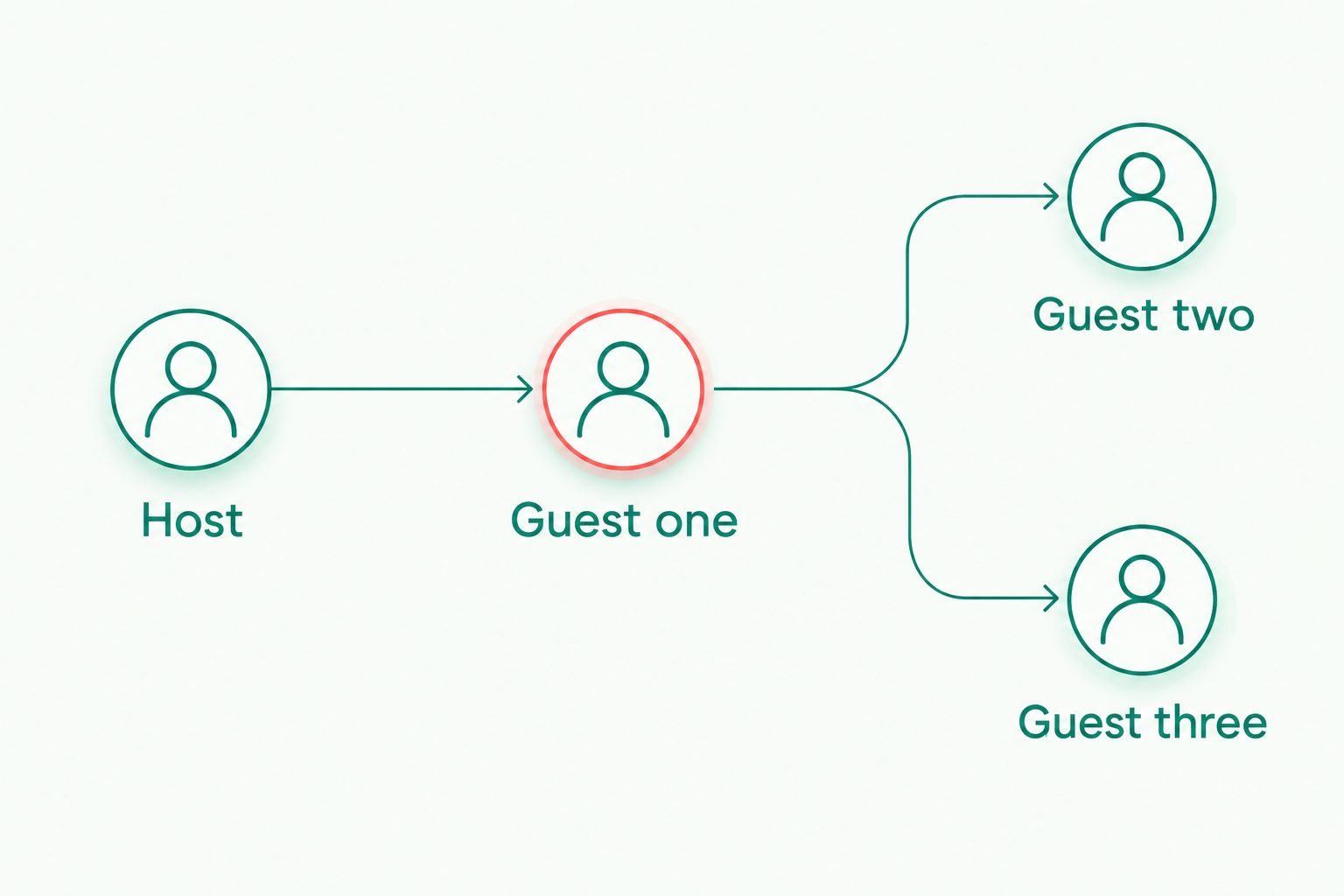
- Identify cable A. Connect its player-one plug to the host console and its other console plug to guest one. On official Nintendo cables, the player-one plug is purple and the other plug is grey.
- Identify cable B. Insert its player-one plug into cable A's branching socket, then connect its other plug to guest two.
- Identify cable C. Insert its player-one plug into cable B's branching socket, then connect its other plug to guest three.
- Check every plug for full seating. Leave the unused branching socket on the final cable empty; do not connect the chain back into itself.
Expected result: all 4 handhelds connect through a chain of 3 cables, with the host at the player-one end of the first cable. No console needs a second link port.
The chain is easier to inspect when the cables stay visible. Keep the branching sockets away from elbows and do not suspend their weight from a handheld's link port.
Cable checks before power-on
A connector fitting into the socket does not prove that the cable supports the game. Check the cable's identification and any operating-mode switch before treating a failed connection as a console fault.
For your 2026 equipment checklist, record which cables are GBA-compatible and which console is the host. If you need to identify accessory types first, use the guide to Game Boy Advance link cable accessories.
Keep charging and link connections separate. A USB-C charging modification does not turn the charging socket into a game-link socket, and a display upgrade does not replace the original multiplayer connection.
Single-pak host and guest configuration
Cartridge and startup sequence
Single-pak play is the starting point when your group has one game cartridge. Keep the host attached to the player-one plug throughout setup.
- With every console switched off, insert Mario Kart: Super Circuit into the host only. Leave all 3 guest cartridge slots empty.
- Turn on the guest consoles. An empty-slot startup screen is expected at this stage; the guests have not received the game program yet.
- Turn on the host. Use START to pass the title screen, then choose the multiplayer menu with the directional pad and A.
- Choose the single-pak link option on the host. Leave the guests powered on and connected while the host establishes communication and transfers the multiplayer program.
- Follow the host's on-screen prompts once all players are detected. Do not begin with a missing guest and assume that console will join the race later.
Expected result: the host detects the 3 guests, and each guest progresses from the empty-slot startup state into the downloaded multiplayer game.
Do not insert cartridges into guests to make the blank startup screen disappear. That changes the boot conditions and prevents you from testing the intended single-pak arrangement.
First-race verification
Use the first race as a connection check rather than immediately moving everyone to separate seats. Confirm that each handheld controls its own racer and remains connected through a complete race.
- Select an available single-pak course on the host and confirm the prompts with A.
- Check that every participant reaches the race, rather than stopping at a connection or transfer screen.
- Complete the race with the consoles resting comfortably and the cables slack.
- Only after the test succeeds, adjust seating without disturbing the plugs or branching sockets.
Expected result: all 4 players complete a race without a communication failure or a handheld losing power.
The single-pak restrictions are normal, not evidence of a bad cable. All-Yoshi racing and the limited course selection belong to this mode; repeating the transfer will not add the multi-pak character roster or Battle mode.
Second workflow: multi-pak racing and Battle mode
Switch to multi-pak play when every player has a compatible Mario Kart: Super Circuit cartridge. The cable chain stays the same; the cartridge and menu procedure changes.
- Switch POWER off on all consoles before changing cartridges. Keep the tested cable layout intact.
- Insert a game cartridge into each of the 4 handhelds. Make sure each game starts normally on its own if you have not already checked it.
- Turn on all consoles. On every handheld, enter the multiplayer menu and select the multi-pak link option.
- Wait for the group to establish communication. Follow the displayed prompts for character, mode and course selection instead of entering single-player racing on one console.
- Begin a race or Battle session only after all participants appear in the connected group.
Expected result: every handheld runs from its own cartridge and joins the same multiplayer session, with the fuller multi-pak choices rather than the restricted single-pak download.
For a recurring 2026 gaming night, keep the working cartridge set together. Changing several cartridges and cables between sessions makes a later fault harder to isolate because you lose the known-working baseline.
Troubleshooting
One guest stays on the startup screen
First confirm that you selected single-pak play and left that guest's cartridge slot empty. Switch everything off, reseat its plug and repeat the startup sequence.
If the same guest still fails, test that handheld and cable in a simple two-console arrangement. Reduce the connection before replacing parts: a successful two-player transfer establishes a working pair you can extend again.
Only two or three players connect
Inspect the branching connection immediately before the missing player. An incompletely seated player-one plug in a cable's branching socket breaks the chain beyond that point.
Build the group incrementally: establish 2 players, add the third, then add the fourth. Power down before changing the wiring, and repeat the connection procedure after each addition.
All consoles start, but no multiplayer group forms
Confirm that every cable supports GBA games. Remove Game Boy Color cables, GameCube connection cables and wireless adapters from this setup; none substitutes for the required GBA-to-GBA connection.
Next check the mode selection. A host waiting in single-pak mode cannot form the intended group with guests running their own cartridges in multi-pak mode.
A race disconnects when someone moves
Switch off and inspect cable seating, connector damage and strain at the link ports. Retest with the handhelds resting on the table and the cable network supported.
Swap one suspect cable at a time with a known-working cable. If the fault follows a particular handheld across working cables, its link port needs inspection rather than another menu reset.
A handheld switches off during play
Resolve the power problem before troubleshooting multiplayer. Check battery condition, charge state and battery contacts as appropriate to the console; a powered-off guest cannot remain in the session.
Retrofit offers repair and upgrade services, but an IPS V5 screen or USB-C charging feature alone does not establish link-port condition. Describe the actual fault, including whether it follows the console or the cable.
Customise your workflow
Keep a known-working host, cable chain and cartridge arrangement together. Label the host and cable branches after a successful session so the next setup starts from a tested layout rather than guesswork.
For a 2026 club session, separate the arrival check from the race setup: confirm each handheld powers on and reads its cartridge before adding it to the group. This keeps a cartridge-reading fault from looking like a multiplayer fault.
If you are choosing refurbished hardware, treat display, charging and multiplayer checks as separate requirements. Retrofit's modded Game Boy Advance consoles address the hardware purchase; your session still needs compatible game cartridges and a verified cable network.
FAQ
How do I set up four-player Mario Kart: Super Circuit with one cartridge?
Connect four GBA or GBA SP consoles, put the cartridge in the host and leave the three guests empty. Start the guests, launch the host's single-pak multiplayer option and wait for the game program to transfer.
How many official GBA link cables do four players need?
Four players need three official Nintendo GBA Game Link Cables. The additional cables connect through branching sockets on the preceding cables.
Can a Game Boy Advance and GBA SP play Mario Kart together?
Yes. Original Game Boy Advance and GBA SP consoles can share the same Mario Kart: Super Circuit link session using compatible GBA link cables.
Why is everyone Yoshi in single-pak Mario Kart?
Single-pak Mario Kart: Super Circuit restricts players to Yoshi and the four opening courses. Use multi-pak play with a compatible cartridge in every console for fuller multiplayer choices.
Can I use a wireless adapter instead of link cables?
No. Mario Kart: Super Circuit does not support the Nintendo GBA Wireless Adapter; this multiplayer setup requires compatible wired GBA connections.
Can a Nintendo DS join a GBA Mario Kart link session?
No. Nintendo DS and DS Lite systems lack the GBA link port, even though they can play GBA cartridges in single-player mode.
Does an IPS screen or USB-C mod enable four-player multiplayer?
No. Four-player multiplayer depends on the original GBA link functionality, compatible cables and the correct game setup. Screen and charging modifications do not replace that connection.
Can players join after a Mario Kart race has started?
Do not plan on adding players during a race. Stop the session, power down before changing the cable arrangement and establish the full group through the multiplayer setup again.
One last thing
An empty guest cartridge slot is part of a working single-pak setup, not a missing component. Before blaming three apparently idle handhelds, check that the host is actually running the single-pak transfer. A fully loaded cartridge slot in every console belongs to the other workflow.






