🎮 Complete Guide to Game Boy Advance IPS Mods in 2025
Everything you need to know about upgrading your GBA with a modern backlit screen
⏱️ Reading time: 8 minutes
Remember squinting at your Game Boy Advance screen, desperately tilting it to catch the light just right? Those days are over.
IPS screen mods have revolutionized retro gaming, transforming the Game Boy Advance from a barely-visible relic into a crystal-clear modern handheld. But with terms like "IPS V5," "AGS-101," and "backlit LCD" flying around, it's easy to get overwhelmed.
This guide cuts through the confusion. Whether you're buying your first modded GBA or deciding if it's worth upgrading the one collecting dust in your closet, we'll cover everything you need to know about IPS mods in 2025.
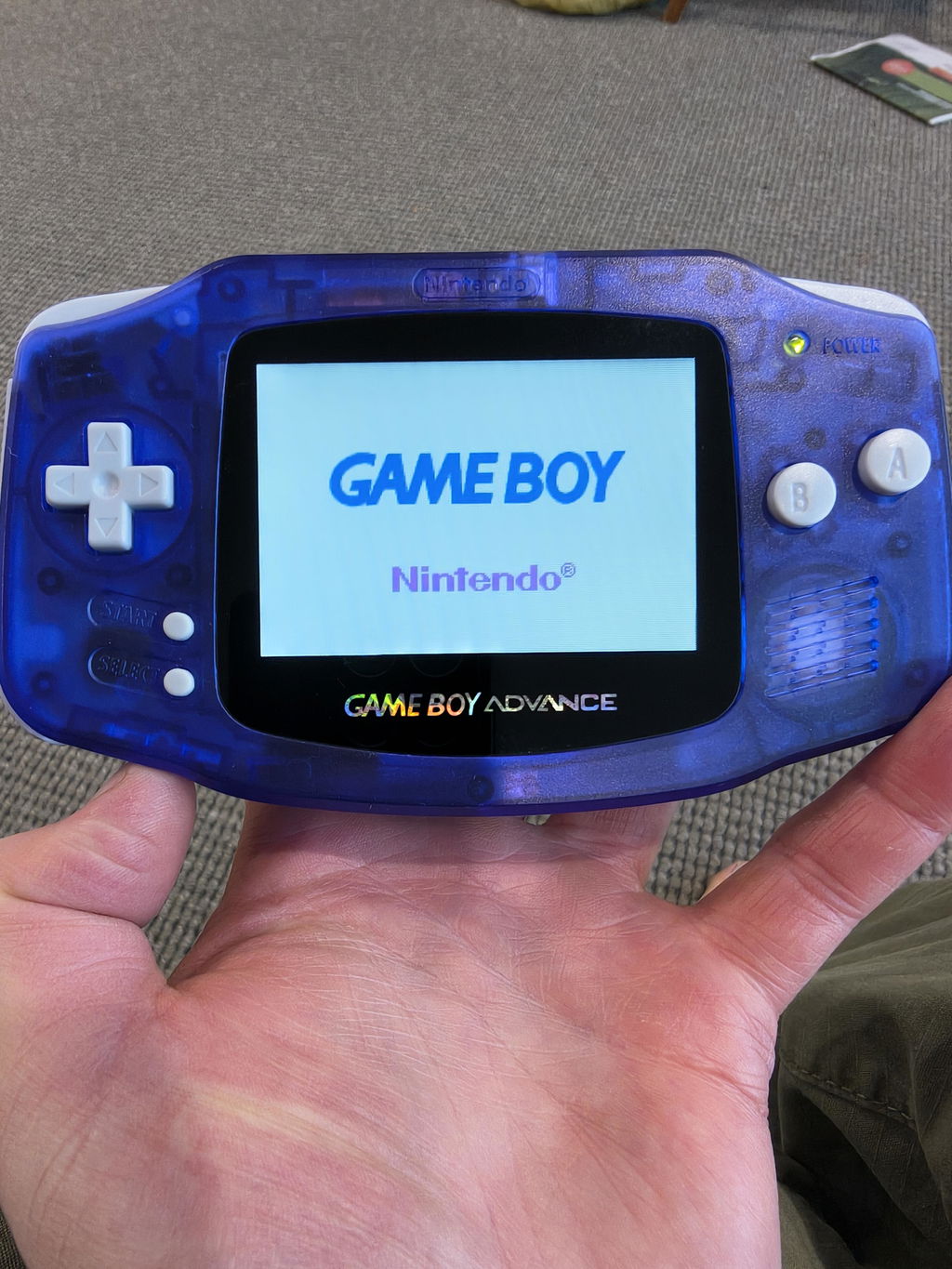
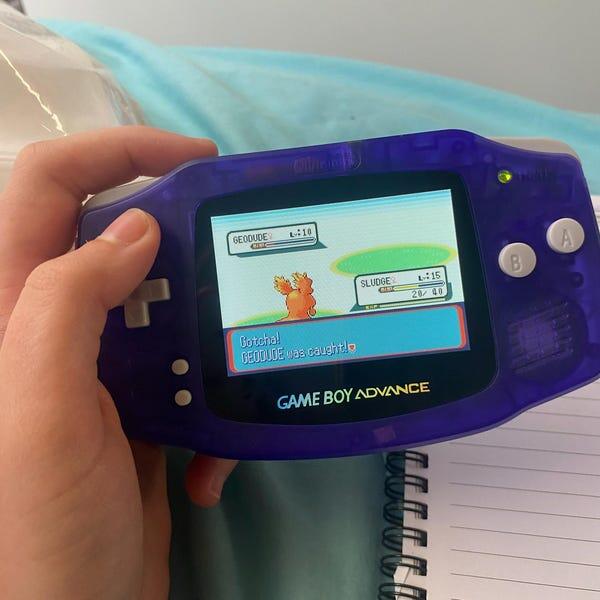
📌 Quick Answer: An IPS mod replaces your Game Boy Advance's dim, reflective screen with a bright, backlit display. The result? Crystal-clear visuals in any lighting condition, zero glare, and Pokemon that actually looks the way you remember it.
What is an IPS Screen Mod?
IPS stands for In-Plane Switching – a type of LCD technology that delivers superior color accuracy, brightness, and viewing angles compared to the original Game Boy Advance screen.
Original GBA Screen (The Problem)
Nintendo's 2001 Game Boy Advance shipped with a reflective TFT LCD screen. Translation? No backlight.
Playing required:
- Perfect lighting conditions (preferably direct overhead light)
- Constant screen angle adjustments
- Squinting in any room that wasn't blindingly bright
- Giving up entirely in cars, planes, or after sunset
The screen was functional but frustrating. Nintendo eventually released the GBA SP AGS-101 with a backlit screen in 2005, but by then, the DS was already out and GBA was yesterday's news.
IPS Screen (The Solution)
Modern IPS screen kits completely replace the original display with a backlit LCD panel featuring:
- Brightness control: 10-15 adjustable levels (vs. none on original)
- Wide viewing angles: 178° (vs. ~90° on original)
- Vibrant colors: True-to-life palette rendering
- Zero glare: Play in direct sunlight without reflection
- Higher resolution: Sharper pixels and clearer text
The difference isn't subtle. It's night and day.
IPS V5 vs V2 vs V3: What's the Difference?
Not all IPS screens are equal. Here's the breakdown of the three most common versions:
| Feature | IPS V2 | IPS V3 | IPS V5 (Latest) |
|---|---|---|---|
| Release Year | 2019-2020 | 2021 | 2023-2025 |
| Resolution | 640×480 | 640×480 | 720×420 (Higher) |
| Brightness Levels | 5-10 | 10 | 15 |
| Color Modes | Limited | 5 | 8 |
| Pixel Effects | None | Basic | 4 modes (scanlines, grid, CRT) |
| Ghosting | Some | Minimal | Zero |
| Shell Trimming | Often required | Sometimes required | No trimming needed |
| Light Bleed | Common | Occasional | Minimal to none |
| Price | Budget (~$40 USD) | Mid (~$50 USD) | Premium (~$60-70 USD) |
🏆 Bottom Line: IPS V5 is the clear winner in 2025. The V2 was revolutionary in 2019, but V5 eliminates all the common issues (ghosting, light bleed, poor fit) while adding features like scanline effects and better color accuracy.
Benefits of IPS Screen Mods
✅ Pros
- Play anywhere: Airplanes, cars, dark rooms – no problem
- See details: Text and sprites are crystal clear
- Preserve your eyes: No more squinting or straining
- Better colors: Games look how developers intended
- Customizable: Adjust brightness, colors, pixel effects
- Resale value: Modded GBAs sell for 2-3x stock prices
- Future-proof: Modern tech in a retro shell
❌ Cons
- Cost: IPS kits run $40-70, plus installation labor
- Battery drain: Backlight uses more power (still 10-20 hours)
- Not "authentic": Purists prefer original screens
- Potential issues: Light bleed on poor installs (not with V5)
- Slightly different colors: Some prefer OEM color temperature
Who Should Get an IPS Mod?
✅ Perfect For:
- Anyone who plays regularly – Why suffer with the original screen?
- Pokemon fans – Gen 3 games finally playable without a lamp
- Travelers – Game on flights, road trips, camping
- Parents buying for kids – Kids won't tolerate dim screens in 2025
- Collectors who actually play – Best of both worlds
❌ Maybe Skip If:
- You're a purist – If "original hardware only" is your motto, stick with it
- You never play – If it's just a shelf piece, why spend money?
- You're on a tight budget – GBA SP AGS-101 is a cheaper backlit option
DIY vs Pre-Modded: Which Should You Choose?
Option 1: Buy Pre-Modded Console
Pros:
- Ready to play out of the box
- Professional installation (no light bleed, perfect fit)
- Warranty included (6 months with Retrofit)
- Often includes battery upgrades, custom shells
- Tested for 1+ hours before shipping
Cons:
- Higher upfront cost ($250-350 AUD)
- Less control over exact customization
💰 Cost: $299-349 AUD for complete modded GBA/GBA SP
Option 2: DIY Installation
Pros:
- Lower cost (~$150-200 AUD total)
- Fun project if you enjoy tinkering
- Total control over every component
- Satisfaction of doing it yourself
Cons:
- Requires soldering skills (depending on kit)
- Risk of damaging console or screen
- Time-consuming (2-4 hours for first install)
- No warranty if something goes wrong
- Need tools: soldering iron, trim cutters, etc.
💰 Cost:
- IPS V5 kit: $60-70 USD (~$95 AUD)
- Donor GBA console: $50-80 AUD
- Custom shell (optional): $20-30 AUD
- Tools: $30-50 AUD (if you don't have them)
💡 Our Take: Unless you're experienced with console modding, buy pre-modded. The time saved, warranty protection, and guaranteed quality are worth the extra $100-150. Plus, sellers like Retrofit test every console for 1+ hours before shipping – something you can't guarantee with DIY.
What to Look for When Buying a Modded GBA
Not all sellers are created equal. Here's your checklist:
✅ Screen Quality
- Ask which IPS version: V5 is best, V2 is outdated
- Check for light bleed: Should be minimal to none
- Viewing angle test: Image shouldn't wash out when tilted
- Brightness levels: Should have 10+ adjustable levels
✅ Build Quality
- Shell trimming: V5 shouldn't require any trimming
- Button feel: Should be responsive, not mushy
- No gaps: Screen should fit flush with shell
- Clean solder work: If it requires soldering (most V5 kits don't)
✅ Seller Reputation
- Warranty: Minimum 90 days, ideally 6 months
- Testing: Should test for 1+ hours before shipping
- Reviews: Check Google, Facebook, Reddit
- Location: Australian sellers = faster shipping, local warranty
- Support: Do they respond to questions? Fix issues?
🚩 Red Flags:
- Seller won't specify which IPS version (probably V2)
- No warranty or only 30 days
- Shipping from overseas (4-6 weeks + no warranty support)
- Price too good to be true ($150 for "IPS V5" = likely V2 or fake)
- No photos of actual product (stock photos only)
Battery Life: What to Expect
IPS screens use more power than original screens, but battery life is still excellent:
| Console Type | Battery | Playtime |
|---|---|---|
| Original GBA (no IPS) | 2× AA batteries | 15-20 hours |
| GBA with IPS V5 | 2× AA batteries | 10-15 hours |
| GBA with IPS V5 + USB-C battery | 1800mAh rechargeable | 20-25 hours |
| GBA SP with IPS V5 (original battery) | 600mAh rechargeable | 6-8 hours |
| GBA SP with IPS V5 + upgraded battery | 850mAh rechargeable | 10-12 hours |
💡 Pro Tip: If you're buying a modded GBA (not GBA SP), get the USB-C rechargeable battery upgrade. Yes, it costs $30-40 more, but you'll never buy AA batteries again and you'll get LONGER playtime than the original. Learn more about USB-C battery upgrades →
Common IPS Mod Myths (Debunked)
❌ Myth: "IPS mods aren't authentic Nintendo hardware"
✅ Truth: The motherboard, CPU, and game cartridge slot are 100% authentic Nintendo. Only the screen is aftermarket. It's like putting better tires on a classic car – the car is still authentic.
❌ Myth: "IPS screens damage games or corrupt saves"
✅ Truth: Completely false. The screen has no interaction with game cartridges or save data. Your Pokemon are safe.
❌ Myth: "AGS-101 screens are better than IPS"
✅ Truth: The AGS-101 (from the GBA SP) was great in 2005, but IPS V5 in 2025 is objectively superior in brightness, color options, and customization.
❌ Myth: "All IPS screens are the same"
✅ Truth: V2, V3, and V5 are dramatically different. V2 kits from 2019 have ghosting and light bleed. V5 eliminates these issues entirely.
❌ Myth: "You need to solder to install IPS screens"
✅ Truth: Most V5 kits are drop-in (no soldering required). Some optional features like brightness adjustment may need soldering, but the screen itself doesn't.
The Bottom Line: Is IPS Worth It in 2025?
Yes. Absolutely.
If you plan to actually play your Game Boy Advance, an IPS screen is non-negotiable. The original screen was barely acceptable in 2001 – it's completely unacceptable by 2025 standards.
Here's the math:
- Cost of IPS upgrade: $100-150 (DIY) or $300 (pre-modded)
- Hours you'll play: 50-500+ hours over the console's lifetime
- Cost per hour: $0.20-3.00
- Frustration saved: Priceless
You're getting a premium gaming experience for the price of 3-4 new Switch games. And unlike Switch games, this upgrade lasts forever.
🎮 Ready to Experience GBA the Right Way?
Every Retrofit console comes with the latest IPS V5 screen, rechargeable battery options, and a 6-month warranty. No DIY hassle, no compromises – just perfectly modded Game Boys ready to play.
Shop IPS V5 Consoles Compare IPS VersionsFrequently Asked Questions
Q: What's the best IPS screen for Game Boy Advance in 2025?
A: The IPS V5 is currently the best option. It offers higher resolution (720×420), 15 brightness levels, 8 color modes, zero ghosting, and requires no shell trimming. It's worth paying extra over the outdated V2 kits.
Q: How long does an IPS screen last?
A: IPS LCD screens typically last 50,000-100,000 hours of use. If you played 2 hours per day, every single day, that's 68+ years of gaming. In practical terms, the screen will outlast you.
Q: Can I install an IPS screen myself?
A: Yes, but it requires patience and precision. Most V5 kits are "drop-in" (no soldering), but you'll need to carefully disassemble your GBA, possibly trim the shell, and reassemble everything perfectly. Budget 2-4 hours for your first install. If you're not confident, buy pre-modded.
Q: Do IPS screens drain battery faster?
A: Yes, but not dramatically. You'll get 10-15 hours on AA batteries (vs. 15-20 on original screen). However, if you upgrade to a USB-C rechargeable battery (highly recommended), you'll get 20-25 hours – longer than the original!
Q: Will IPS screens work with all GBA games?
A: Yes, 100%. IPS screens are display-only upgrades. They have zero impact on game compatibility, save data, or cartridge function. Every Game Boy, Game Boy Color, and Game Boy Advance game works perfectly.
Q: Are IPS screens better than the original GBA SP AGS-101 screen?
A: Yes. The AGS-101 was excellent for 2005, but modern IPS V5 screens offer better brightness control (15 levels vs. 2), customizable color palettes, pixel effect options, and superior viewing angles. IPS is the evolution of what AGS-101 started.
Q: Where should I buy a modded Game Boy Advance in Australia?
A: Look for Australian sellers with:
- IPS V5 screens specifically (not just "IPS")
- Minimum 6-month warranty
- Same-day shipping
- Positive reviews on Google/Facebook
Retrofit ticks all these boxes, plus we test every console for 1+ hours before shipping. Shop our collection here →
Q: What's the difference between GBA and GBA SP for IPS mods?
A: Both can be modded with IPS screens:
- GBA: Horizontal design, uses AA batteries (or rechargeable upgrade), has headphone jack, larger form factor
- GBA SP: Clamshell (folds closed), built-in rechargeable battery, more portable, requires headphone adapter
Both get the same IPS V5 screen quality. Choose based on form factor preference.
Related Products
Keep Reading
- IPS V5 vs V2: Complete Technical Comparison →
- USB-C Battery Upgrade Guide: Never Buy AAs Again →
- Frequently Asked Questions About Modded GBAs →
Written by the Retrofit team • Last updated: January 2025
Questions? Contact us here